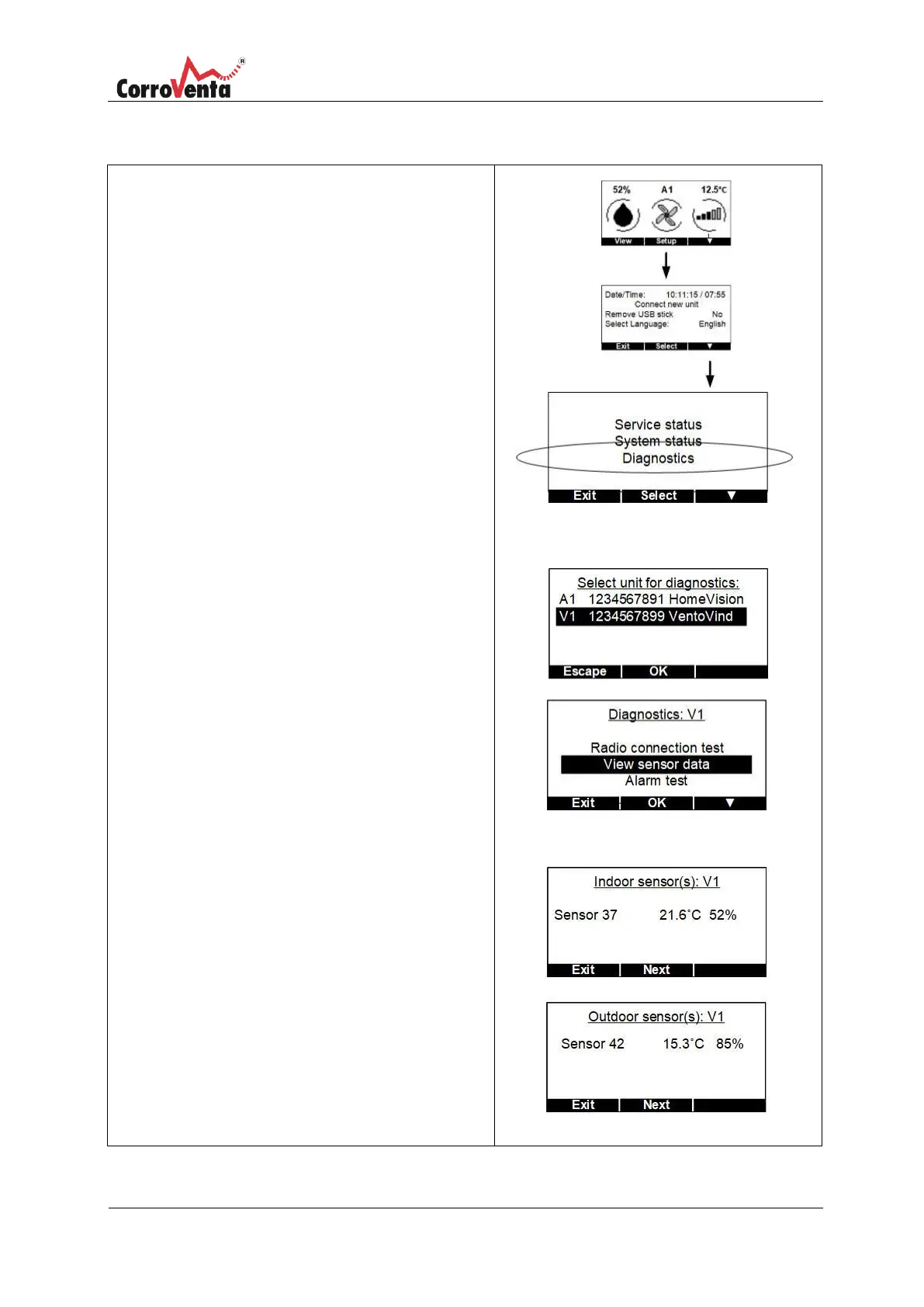
When troubleshooting VentoVind™ it may be of
help to check which sensors are connected and
working. To do this, follow the instructions
below:
In the status view, normal view, first press
<Setup> and then <▼> to get to the
Service/System view.
In the Service/System view press <Select> to
mark the first row. Press <▼> to scroll down to
Diagnostics. Press <OK> to select this function.
Select the unit to diagnose. If only one unit is
connected, it is already marked, Press <OK>.
Select ”View Sensor data” by pressing <Select>
and then <▼> to scroll down. Confirm the
selection with the <OK> button.
All connected indoor sensors are displayed on
the first screen. Scroll to the outdoor sensors
with the <Next> button.


 To Next Page