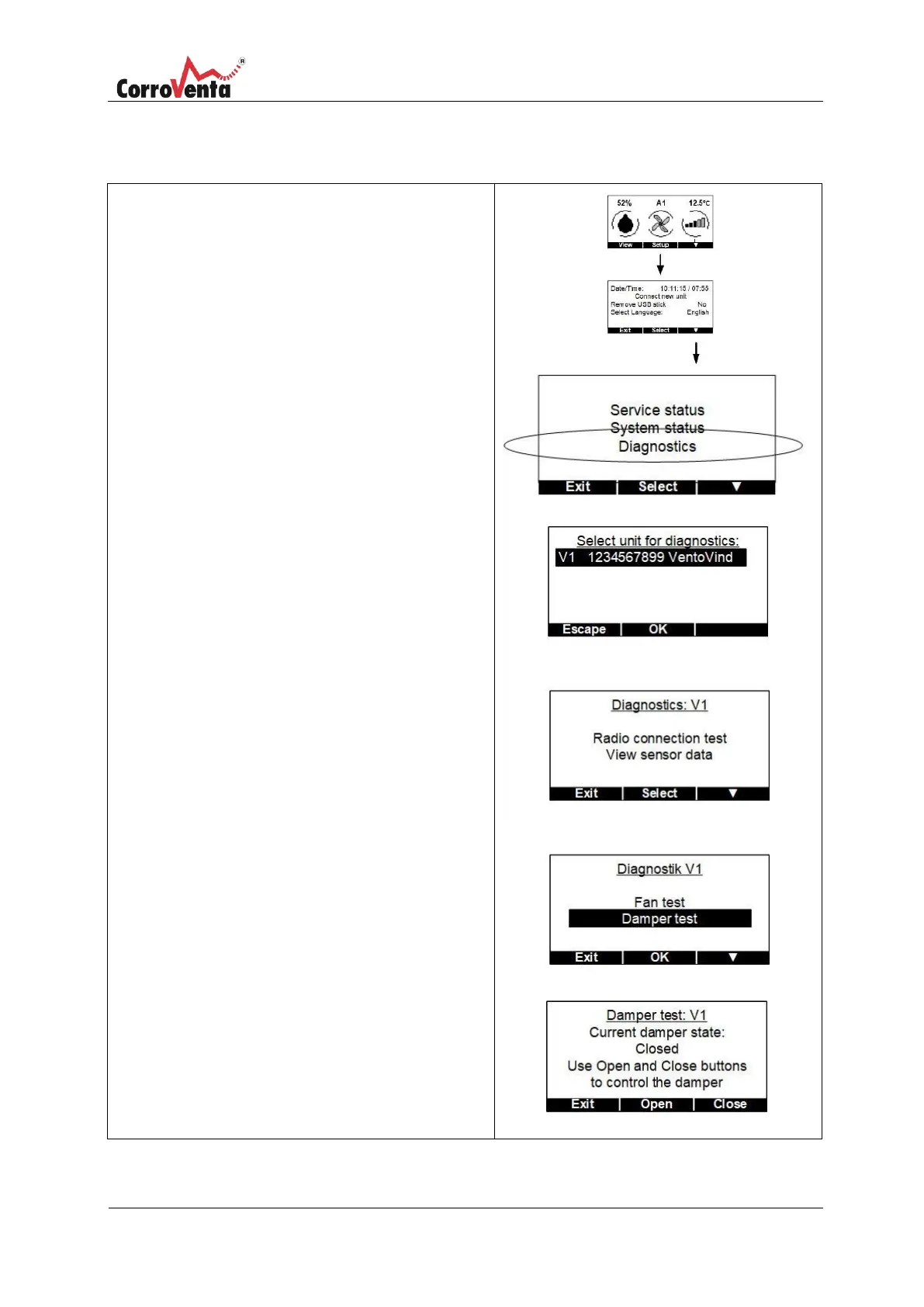
In the status view, normal view, first press <Setup>
and then <▼> to get to the Service/System view.
In the Service/System view press <Select> to mark
the first row. Press <▼> to scroll down to
Diagnostics. Press <OK> to select this function.
Select the unit to diagnose. If only one unit is
connected, it is already marked, Press <OK>.
Select ”Damper test” by pressing <▼> from the
initial diagnostics screen. Then press <Select>
followed by <▼> so that ”Damper test” is marked.
Confirm the selection by pressing <OK>.
The damper test menu enables the user to
manually open and close the damper, as seen in
the bottom right image.


 To Next Page