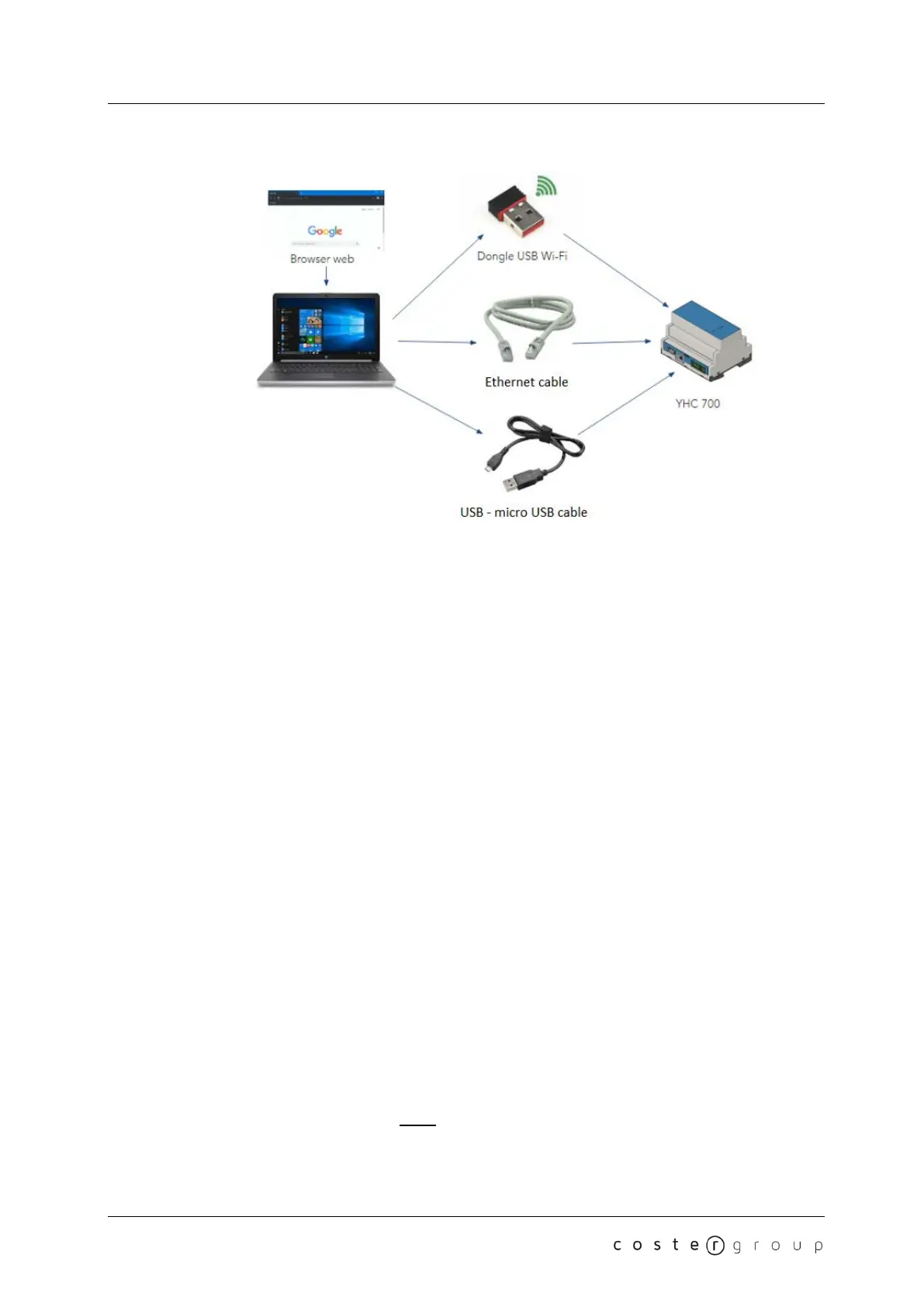
7. YHC Configuration YHC 700
7.1.1 Wi-fi connection
1. Connect the USB Wi-Fi dongle to the USB port of YHC
2. Connect the PC to the Wi-Fi network with SSID "yhc700" (password: costergroup)
3. From a web browser open the YLC URL:
<indirizzo ip dell’yhc>:8080
(default: http://192.168.64.2:8080)
4. Access the configuration pages
NOTE: you must use a USB dongle with the following features: WLAN USB 300 mbit/s with
64/128-bit encoding / WPA/WPA2 / WPA-PSK/WPA2-PSK, USB 2.0 interface compatible with
USB 1.1 / upward compatible with USB 3.0 | frequency range: 2.4 GHz, 13 channels, mime
technology / MIMO. Contact the Cost Group technical assistance for further information.
7.1.2 Connection via USB cable
1. Connect the PC to YHC with a USB cable (USB to micro-USB)
2. From a web browser open the YHC URL:
<indirizzo ip dell’yhc>:8080
(default: http://192.168.7.2:8080)
3. Access the configuration pages
7.1.3 Connection via Ethernet cable
1. Configure the PC with a static address belonging to subnet where YHC is installed
2. Connect the PC to YHC with an Ethernet cable
3. From a web browser open the YHC URL:
18


 To Next Page