YHC 700 9. Commissioning
Example: “1/TCP”
9.2 Commissioning a control system (YHC+MDM)
Commissioning in this case involves the following steps:
1. Commissioning of the field devices
2. YHC configuration
3. Configuration of the MDM 232
4. Configuration of the YLCs units in the software used for remotely supervise/manage
the system
9.2.1 Field devices commissioning
The devices are installed according to the instructions provided in each device data sheet; for
the YHC you need to:
● connect the RS485 port #1 to the RS485 bus of the YLCs
● connect the RS232 port to the RS232 bus of the MDM 232 modem
WARNING: when connecting the MDM 232 to YHC, make sure the TX termination of the
MDM is connected to YHC TX termination, and that the MDM RX termination is connected to
YHC RX termination.
9.2.2 YHC Configuration
Configure YHC as described in chapter 7.
9.2.3 MDM 232 Configuration (to work with YHC)
MDM 232 may be used in control systems with or without YHC. If one or more YHC are
installed, this must be specified in the MDM 232 mimic panel, as follows:
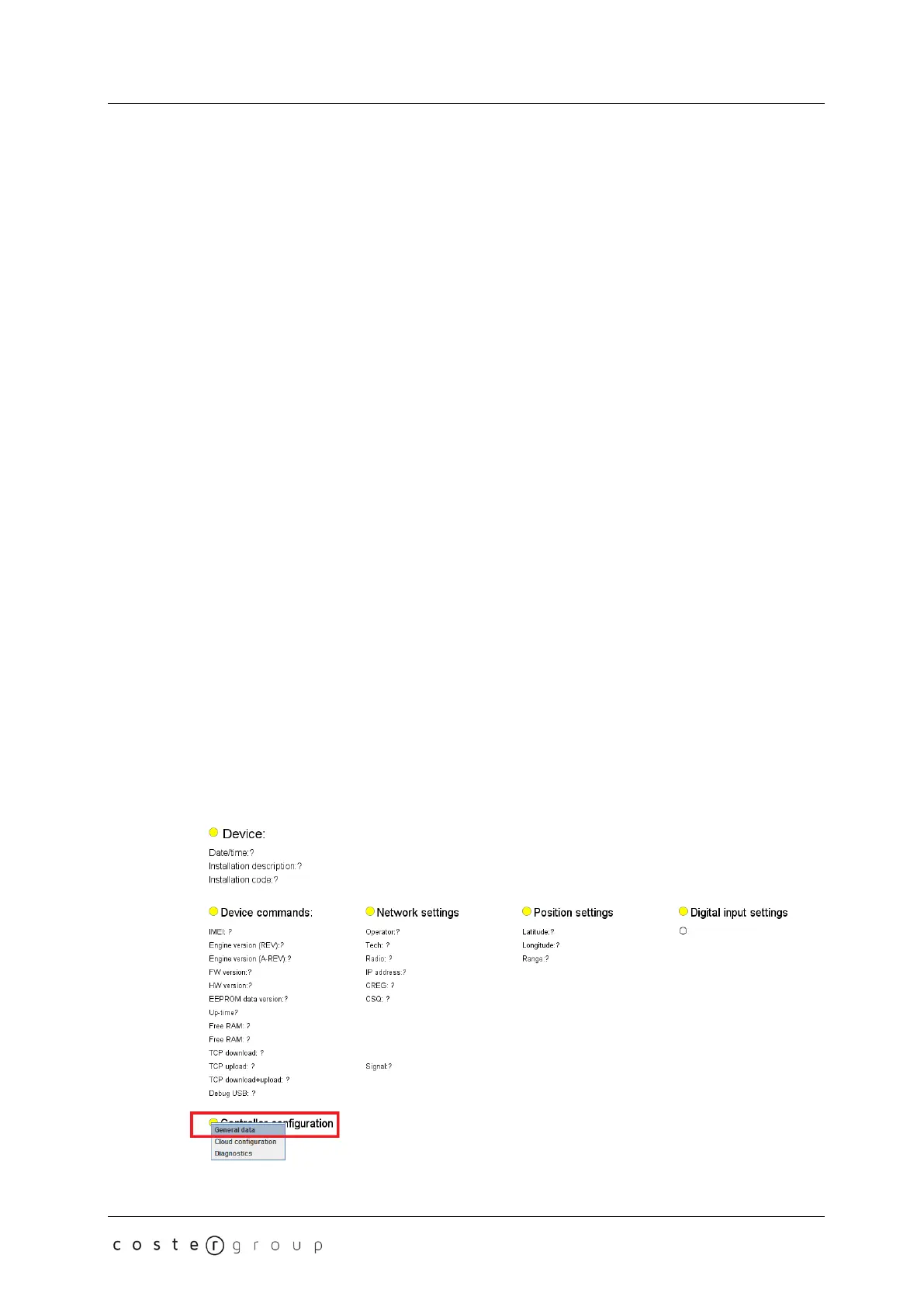
1. Load the mimic panel of the MDM 232 modem in ClimaOffice
2. Select "Controller settings->General data":
31


 To Next Page