7. YHC Configuration YHC 700
• What kind of cloud service the data must be sent to and its URL address. So far, only
CkimatelCloud is admitted.
• The key used by this service to identify the section of the message sent that refers to
that specified installation
• The transmission interval (Default: Disabled)
7.2.2 Monitoring
This menu gives access to the pages to manage the monitoring devices (configure the
Modbus devices and/or the M-BUS Gateways connected to the YHC monitoring bus, set up
and export the monitoring datalogger, etc)
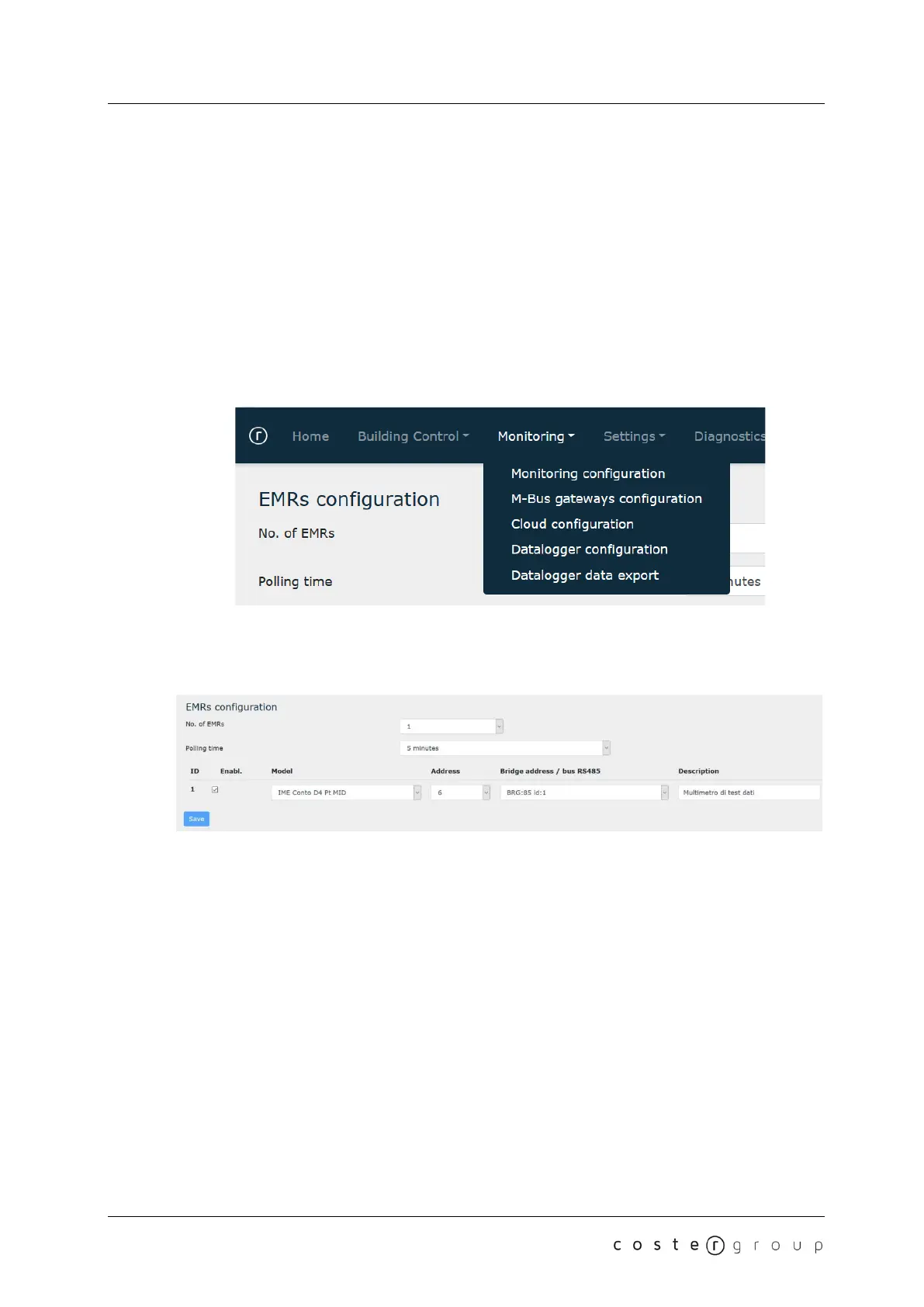
7.2.2.1 Monitoring configuration
7.2.2.1.1 Energy meters configuration
NOTE:
• L’indirizzo bridge è presentato nella forma: “BRGC:xx id:yy” dove “xx” è l’indirizzo
slave del concentratore, e “yy” è l’id del bridge collegato
• Il tempo di polling può essere diverso dal tempo con cui YHC700 comunica i dati al
supervisore; il polling può anche essere continuo.
In this section, you can specify:
● The number of energy meters managed (from 0 to 30). Default: 0
● The polling time (how often YHC will read the energy meters data). Default: Disabled
● For each energy meter, you can specify:
○ Whether it is enabled or not.
○ The energy meter mode, chosen among those supported (see section 2.4.2)
○ The energy meter address
○ The address of the BRG868 through which the energy meter is read, or the
option of the energy meter direct connection the RS485 bus. Default: bus 485
○ A short description
NOTE:
22


 To Next Page