YHC 700 7. YHC Configuration
<indirizzo ip dell’yhc>:8080
(default: http://192.168.63.2:8080)
4. Access the configuration pages
NOTE: To configure YHC 700, an Internet connection is NOT required.
7.2 YHC Configuration
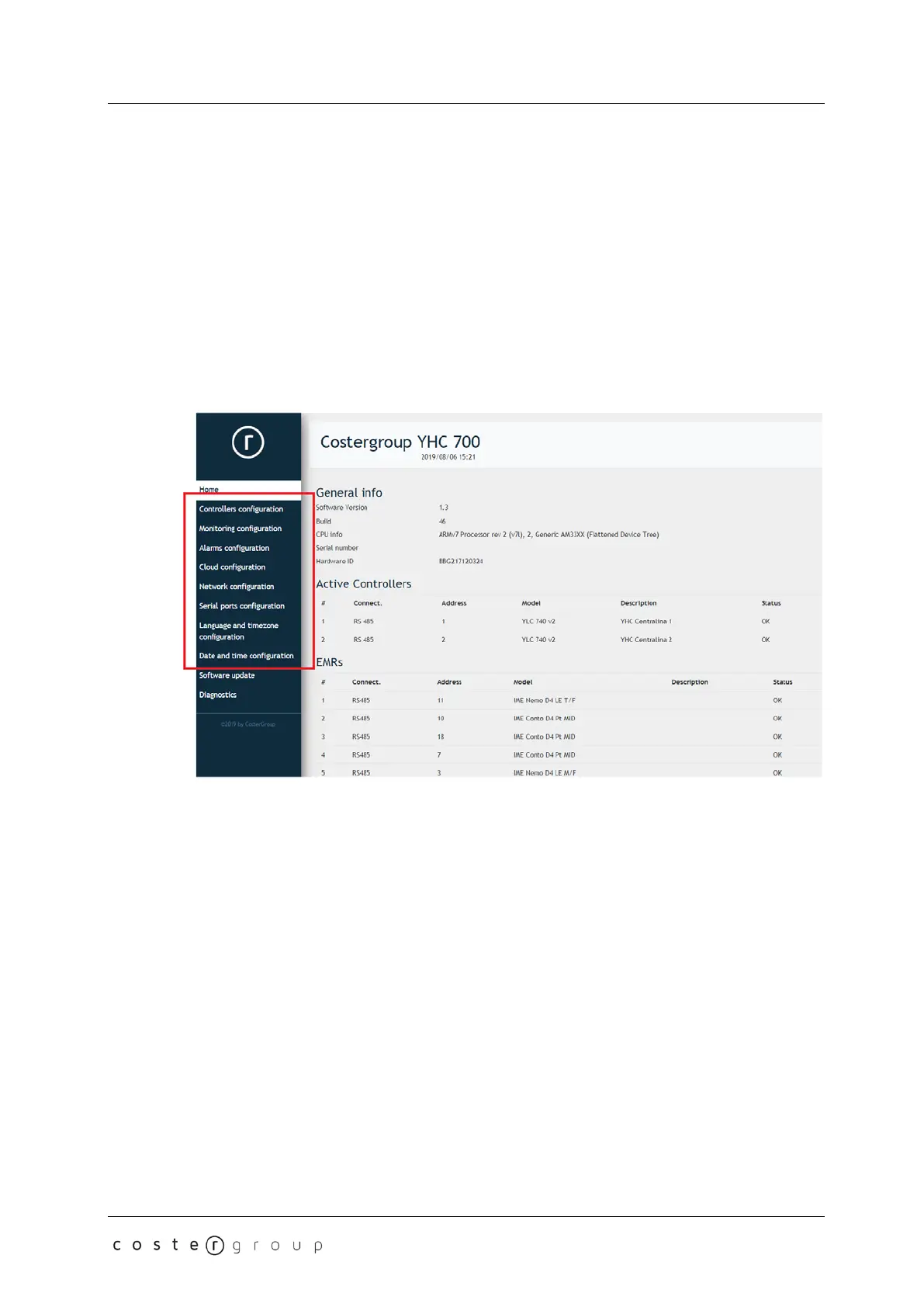
Once connected to the device, you can configure YHC using the HTML pages as shown
below:
NOTE: to access the Configuration pages, you must be logged in with the following
credentials:
username: service
password: CosterGrp267837
The password can be changed in a dedicated menu of the YHC WEB Pages (see chapter
7.2.3.6).
7.2.1 Building Control
This menu provides access to the WEB pages for configuring the YLCs and how to manage
their alarms and their data sending to the cloud:
19


 To Next Page