COTES C35 OPERATING AND SERVICE HANDBOOK page 43/71
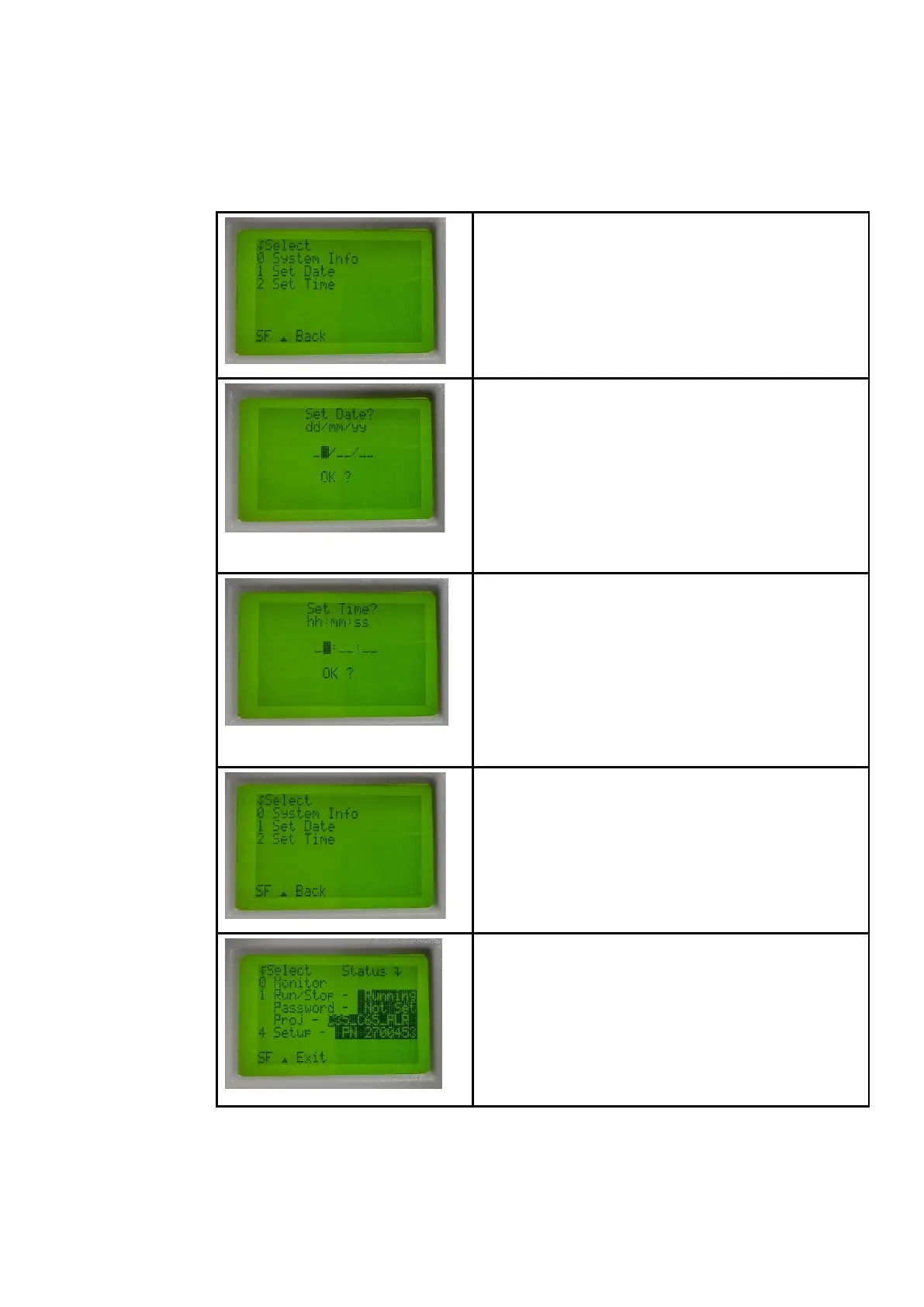
To change current date press “1” and to change current time
press “2”.
Enter the correct date values in the order: day/month/year. To
“jump” from dd to mm to yy, press the “right arrow” next to the
“OK” button. To leave the menu without saving press
simultaneously “SHIFT” and “UP arrow”.
Confirm correct values by pressing “OK”. If everything is done
correctly, the controller will go back to setup screen,
otherwise CPU will not react to pressing “OK” (i.e. if controller
is still in run mode, or bad values)
Fill in the correct values in the order: hours/minutes/seconds.
To “jump” from hh to mm to ss, press the “arrow RIGHT” next
to the “OK” button. To leave the menu, press simultaneously
“SHIFT” and “UP arrow”.
Confirm correct values by pressing “OK”. If everything is done
correctly, the controller will go back to setup screen,
otherwise CPU will not react to pressing “OK” (i.e. if controller
is still in run mode, or bad values)
After adjustments, you must switch the controller to “Run”
mode.
Press simultaneously “SHIFT” and “UP arrow” to go back.
Press button “1” to return the controller to run mode.
Before You choose Run mode please be sure that the On/Off
button on front panel of the machine is OFF!
Otherwise the machine will start operating immediately after
you select Run mode!
If the entered adjustments were correct, and the controller is
in Run mode. you should see main menu.


 To Next Page