COTES C35 OPERATING AND SERVICE HANDBOOK page 44/71
HOW TO OPERATE WITH PLC BASED DEHUMIDIFIER
The dehumidifier needs to be turned on at the main switch.
After a while the PLC overview screen will appear.
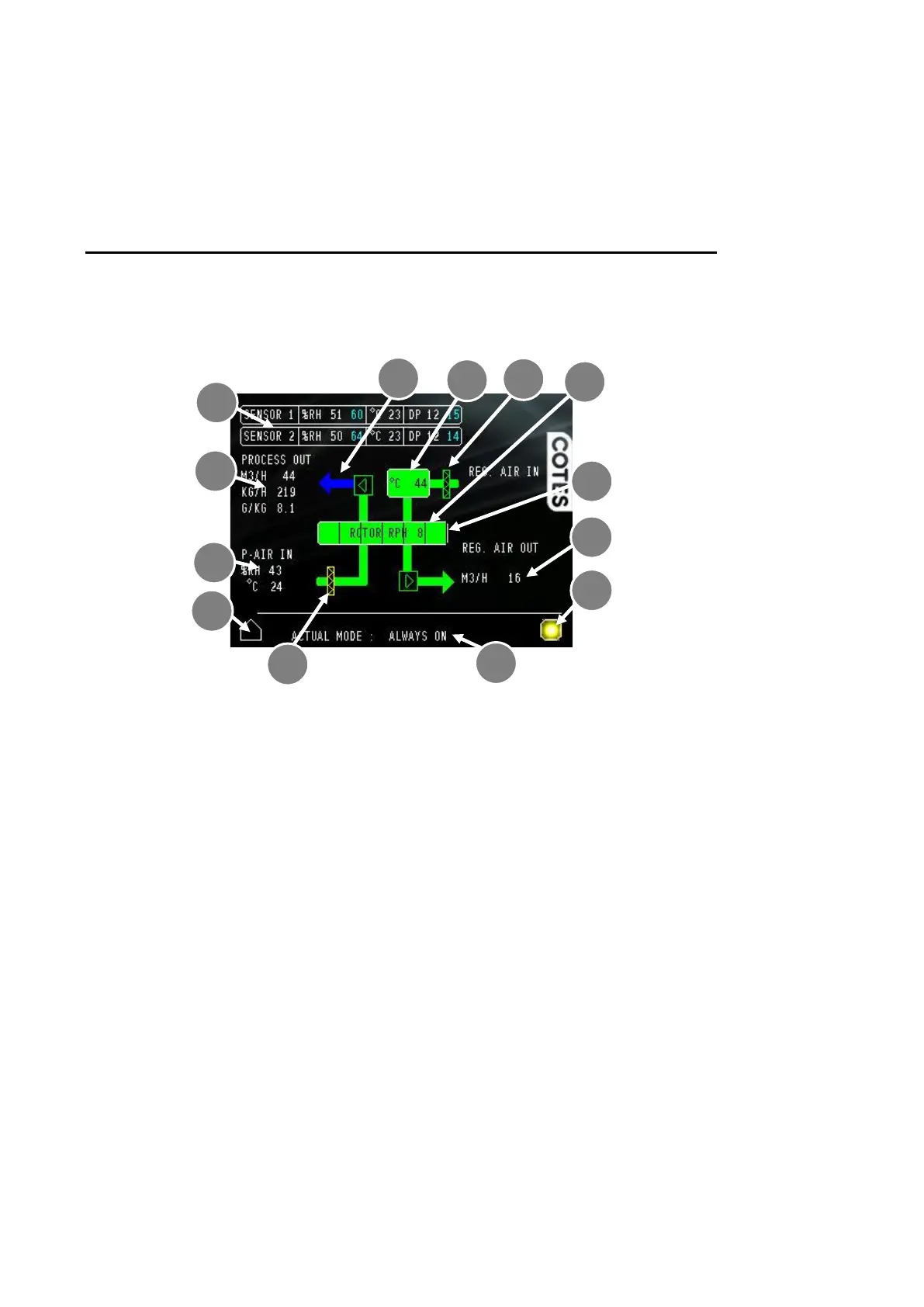
Overview menu
1. Actual measurement and target value for % relative humidity and temperature – within the
space concerned (as registered by external sensors that are not part of the dehumidifier).
The blue number is the target value. Pressing this will send you to the humidity menu.
In Configuration-B, only one sensor is available. Configuration-C and Configuration-D can be
equipped with a second room sensor. Both sensors can calculate the dew point required in the
humidity adjustment process.
2. Rotor – If the rotor is turning, this moves.
3. Rotor speed – in revolutions per hour (RPH).
4. Regeneration air temperature – shows the temperature of the heated regeneration air. If the
temperature is shown in red, an overheating alarm was triggered
5. Regeneration air flow (Configuration-C and Configuration-D) – shows the current air flow based
on internal measurements. In Configuration-B, the percentage of the maximum speed of the fan
is shown.
6. Inflow process air conditions (Configuration-D) – actual process air inlet conditions measured
in % relative humidity and temperature. This measurement is taken directly after the process air
has passed through the process filter.
7. Process air flow (Configuration-C and Configuration-D) – shows the current process air flow,
based on internal measurements. These are in different units, depending on configuration values.


 To Next Page