COTES C35 OPERATING AND SERVICE HANDBOOK page 46/71
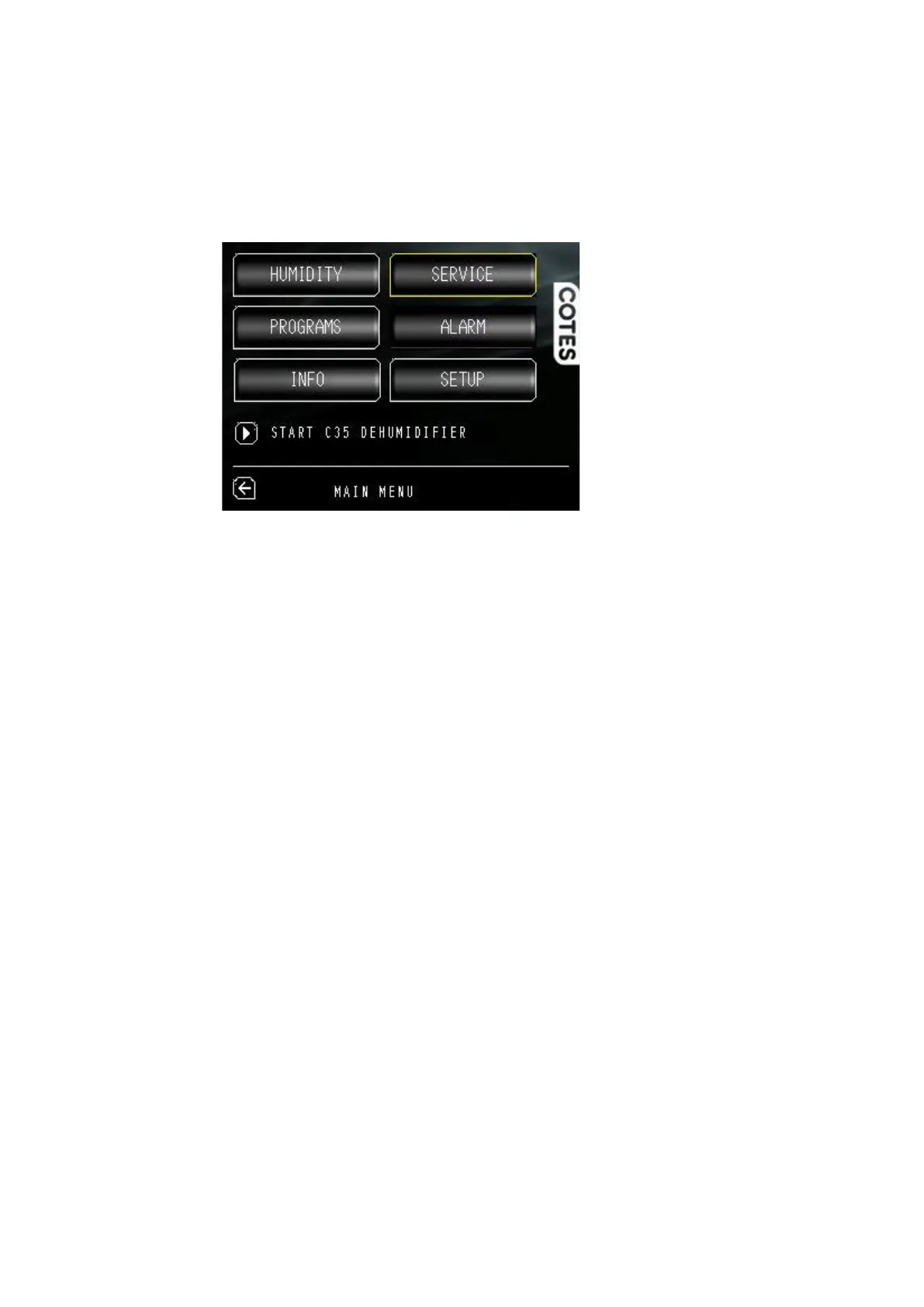
MAIN menu
START/STOP Turn the dehumidifier on and off.
HUMIDITY Setup target for relative humidity and/or dew point.
PROGRAMS This is where you decide how you want the dehumidifier to operate:
• Always On, RH On/Off (all configurations),
• Capacity Control (Configuration-B),
• Energy, Quiet, Custom programs (Configuration-C and Configuration-D),
• Energy+ (Configuration-D).
INFO This provides information about this particular dehumidifier product, including the dehumidifier
type, serial number, build date, software revision and running hours, as well as contact information to
the dealer and the manufacturer. A performance log is available to provide indications of % relative
humidity and dew point. This performance log registers data every hour.
SERVICE This is where you can see the status of the dehumidifier components and their life
expectancy. There is also a diagnostics menu. Here you can also reset the timer after a time-expired
component has been replaced.
Yellow = service is needed (the dehumidifier continue to operate).
Red = critical alarm and service is needed immediately (the dehumidifier stops operating).
ALARM This is where you check any alarms or warnings detected by the control system (yellow
flashing = warning detected, red flashing = alarm detected). Alarms also have to be manually reset
after fixing the fault.
SETUP This is where you can change the settings for your dehumidifier.


 To Next Page