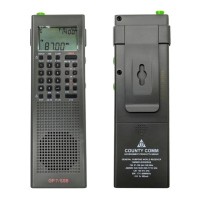
1Power on/off
2Multifunctional tuning knob
3Band selector and Auto Tuning Storage
4Volume knob
5USB Charging port (Warning: NiMH batteries only)
6Battery compartment
7BFO / Fine tuning step set / FM ST. (Stereo) button
8VF/VM (View Frequency/View Memory) & Scan button
9 ETM (Easy Tuning Mode) button
10USB / LSB button / Batteries type selector
11Memory button (Storing radio stations)
12Lock / Display button
13DELETE & 9/10kHz MW step set button
14ALARM On/Off & Setting
15TIME Setting
16FM & SW telescopic antenna (Spares available at www.countycomm.com)
17AM antenna jack
18Earphone jack
19Removable belt clip
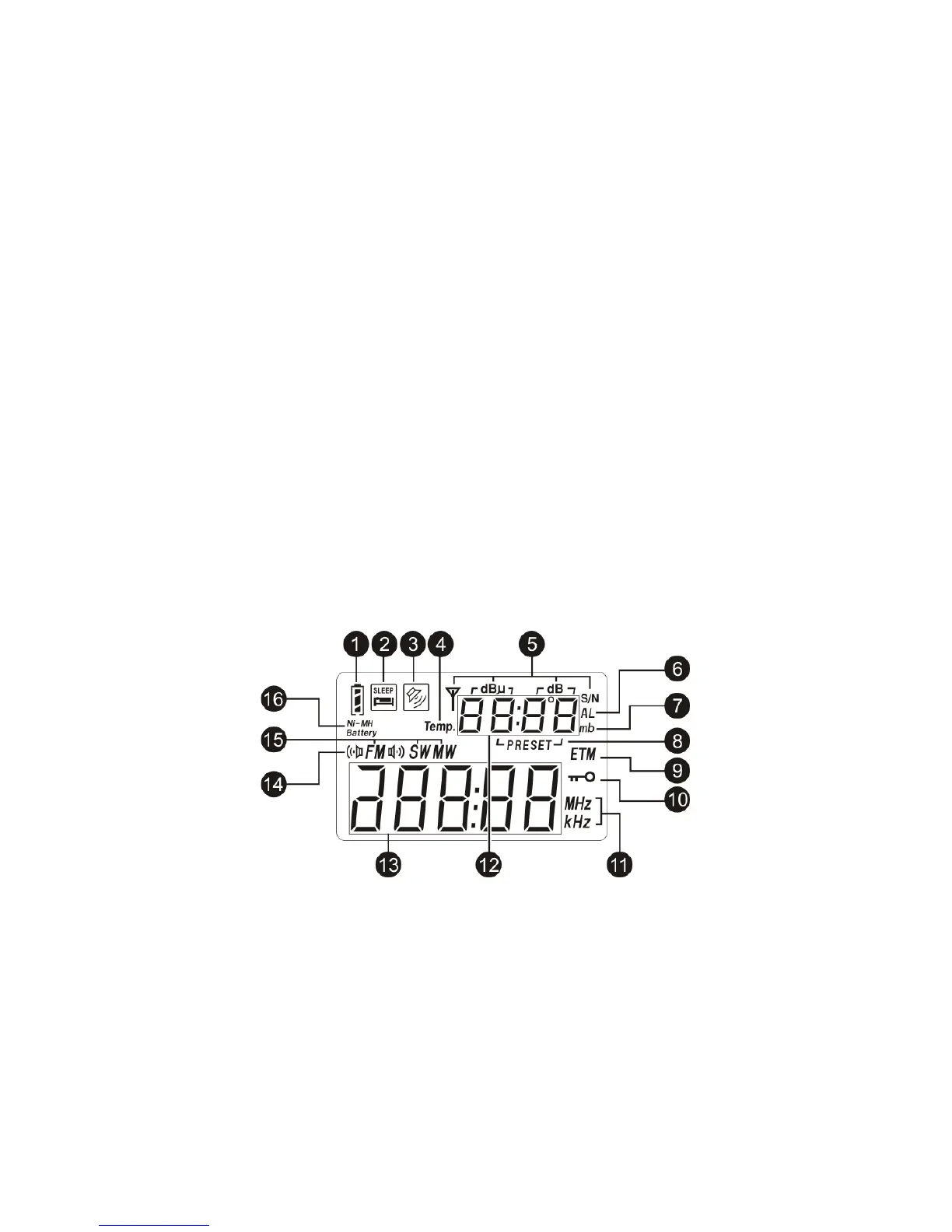
LCD DISPLAY
1Battery Level indicator / Charging indicator
2Sleep timer indicator
3Alarm on/off indicator
4Temperature (Temp.)
5Signal indicators
dBµ: signal strength unit
dB : Signal to Noise Ratio (S/N) unit
6Alarm time indicator
7SW meter band indicator


 To Next Page