40
ver.071217-2.10
iLEARN System Manual
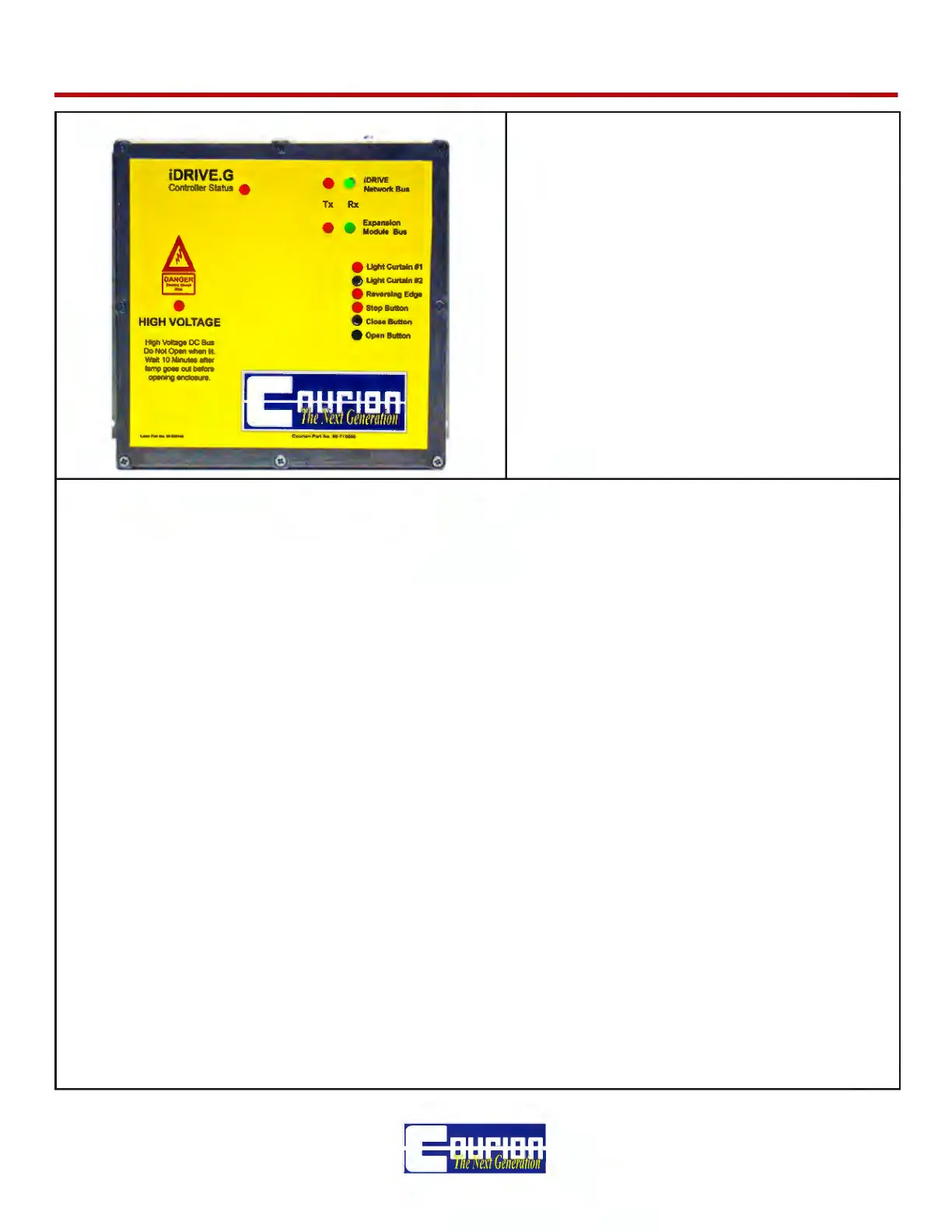
iDRIVE.G VFD Controller CONTROLLER STATUS LED - this LED indi-
cates the Status of the iDRIVE.G VFD Control
0 Flash - No communication with CTEM
1 Flash - Normal Operation
2 Flash - Gate Operation Fault (timeout)
3 Flash - Motor Fault
4 Flash - Memory Failure
5 Flash - Test Mode
If the STATUS LED is something other than 1
Flash per Second - See the Troubleshooting
and Error Message Section of this Manual.
iDRIVE.G Network LEDs (RX & TX) - These LEDs indicate the receipt (RX/Red) and transmission
(TX/Green) of information over the CANbus network between the iLEARN Door Control and the
iDRIVE.G unit. During normal operation, these LEDs should be rapidly ashing. If both lights are not
rapidly ashing, there is a communication error on the CANbus network that needs to be resolved -
See the Troubleshooting and Error Message Section of this Manual.
EXPANSION MODULE BUS (RX & TX) - These LEDs indicate the receipt (RX/Red) and transmis-
sion (TX/Green) of information between the iDRIVE.G Expansion Module and the iDRIVE.G VFD
Controller Unit. During normal operation, these LEDs should be rapidly ashing. If both lights are
not rapidly ashing, there is a communication error on the CANbus network that needs to be re-
solved - See the Troubleshooting and Error Message Section of this Manual.
Light Curtain #1 & #2 - NORMALLY CLOSED (lit) circuit that is open (unlit) when the Light Curtain
is obstructed by an object.
Reversing Edge - NORMALLY CLOSED (lit) circuit that is open (unlit) when the Reversing Edge is
obstructed by an oject.
Stop Button - NORMALY CLOSED (lit) circuit that is open (unlit) when the COP Stop Button is
pushed. If you do not have a Stop Button, this circuit must be jumpered.
Close Button - NORMALLY OPEN (unlit) circuit that is closed (lit) when the COP Close Button is
pushed.
Open Button - NORMALLY OPEN (unlit) circuit that is closed (lit) when the COP Open Button is
pushed.



 To Next Page