28 February 2017 Operation and Maintenance
CY460_Operational_Manual_405 Page 50 of 218
3.0 Menu System
The CY460 Sync Pulse and Test Pattern Generator provides the user with a menu interface to control
the functions and options of the instrument.
3.1 Menu Screens and Maps
The menus can always be viewed on the front panel LCD display, and optionally “in-vision” in an
“on-screen-display” (OSD) viewable on any pattern output. By default, the OSD is set “On” for each
pattern output, but can be independently disabled if desired.
The menus are accessed from the initial start-up (Time) screen by pressing the rotary control. To
return to the Time screen, press the blue escape/back button. If you repeatedly press the escape
button, the LCD display will cycle between the display of time and the display of logo. Additional
status information is also included.
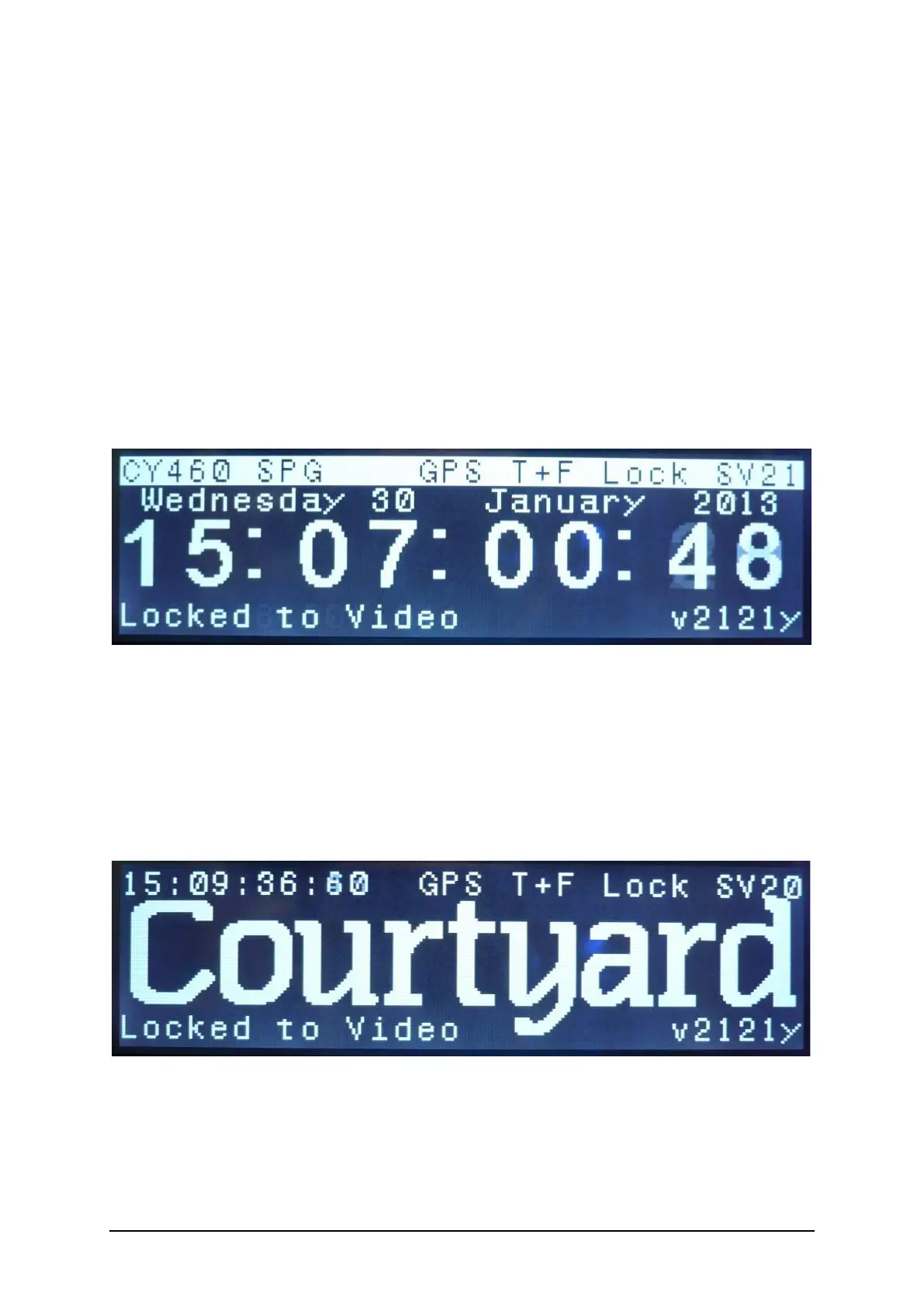
Picture 3.1 : CY460 SPG – Time Screen.
In this display of time, the additional status information is:
Device Name GPS / NTP status
Current Date
Current Time
SPG IP address (when connected) / Lock Status Software Version number
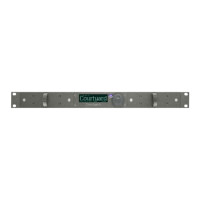
Picture 3.2 : CY460 SPG – Logo Screen.
In this display of logo, the additional status information is:
Time GPS / NTP status
Logo
SPG IP address (when connected) / Lock Status Software Version number


 To Next Page