CRADLEPOINT MBR1400 | USER MANUAL – Firmware version 5.0
© 2013 CRADLEPOINT, INC. PLEASE VISIT HTTP://KNOWLEDGEBASE.CRADLEPOINT.COM/ FOR MORE HELP AND RESOURCES PAGE 125
6.8.3 Local Network Interfaces
Each LAN type—WiFi, Ethernet, and VLAN—has a separate section with configuration options. Unless the default
configuration is sufficient, YOU MUST CONFIGURE EACH INTERFACE SEPARATELY in order to create the desired
interface options for a network. You can then select these interfaces to add to a network in the Local Network Editor (see
above).
Select from the following tabs:
• Wireless (WiFi) Network Settings
• Ethernet Port Configuration
• VLAN Interfaces
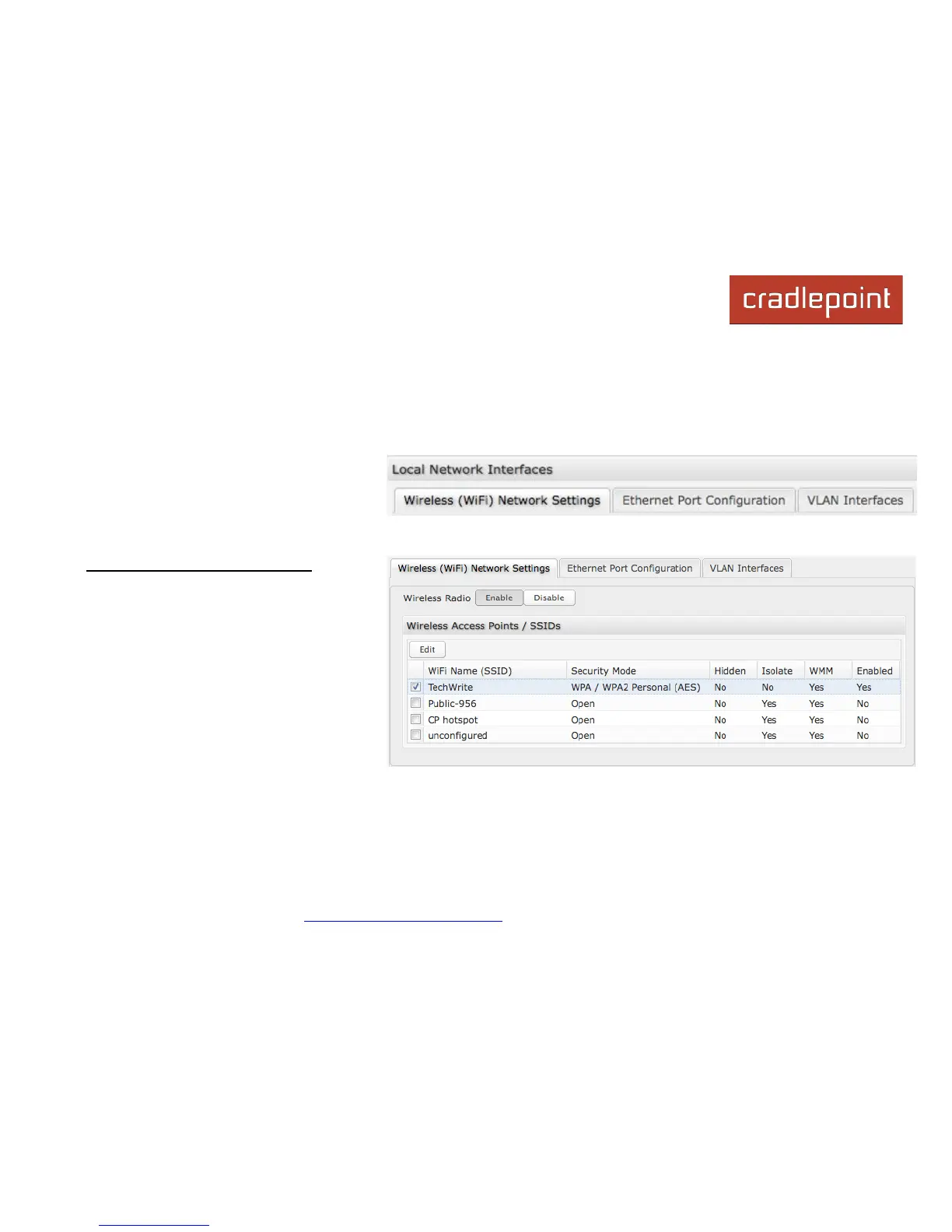
Wireless (WiFi) Network Settings
The MBR1400 can broadcast as many as four
SSIDs (service set identifiers – the names for
WiFi networks). One primary WiFi network is
enabled by default, while you may have
enabled a second guest network when using
the First Time Setup Wizard. You have the
ability to change the settings for either of
these networks and/or enable two additional
networks.
Wireless Radio: Enable/Disable. (Default:
Enabled). Leave enabled unless you don’t
want any WiFi networks broadcast from your router.
Select a WiFi network and click Edit to change the settings.














 To Next Page