CRADLEPOINT MBR1400 | USER MANUAL – Firmware version 5.0
© 2013 CRADLEPOINT, INC. PLEASE VISIT HTTP://KNOWLEDGEBASE.CRADLEPOINT.COM/ FOR MORE HELP AND RESOURCES PAGE 128
Ethernet Port Configuration
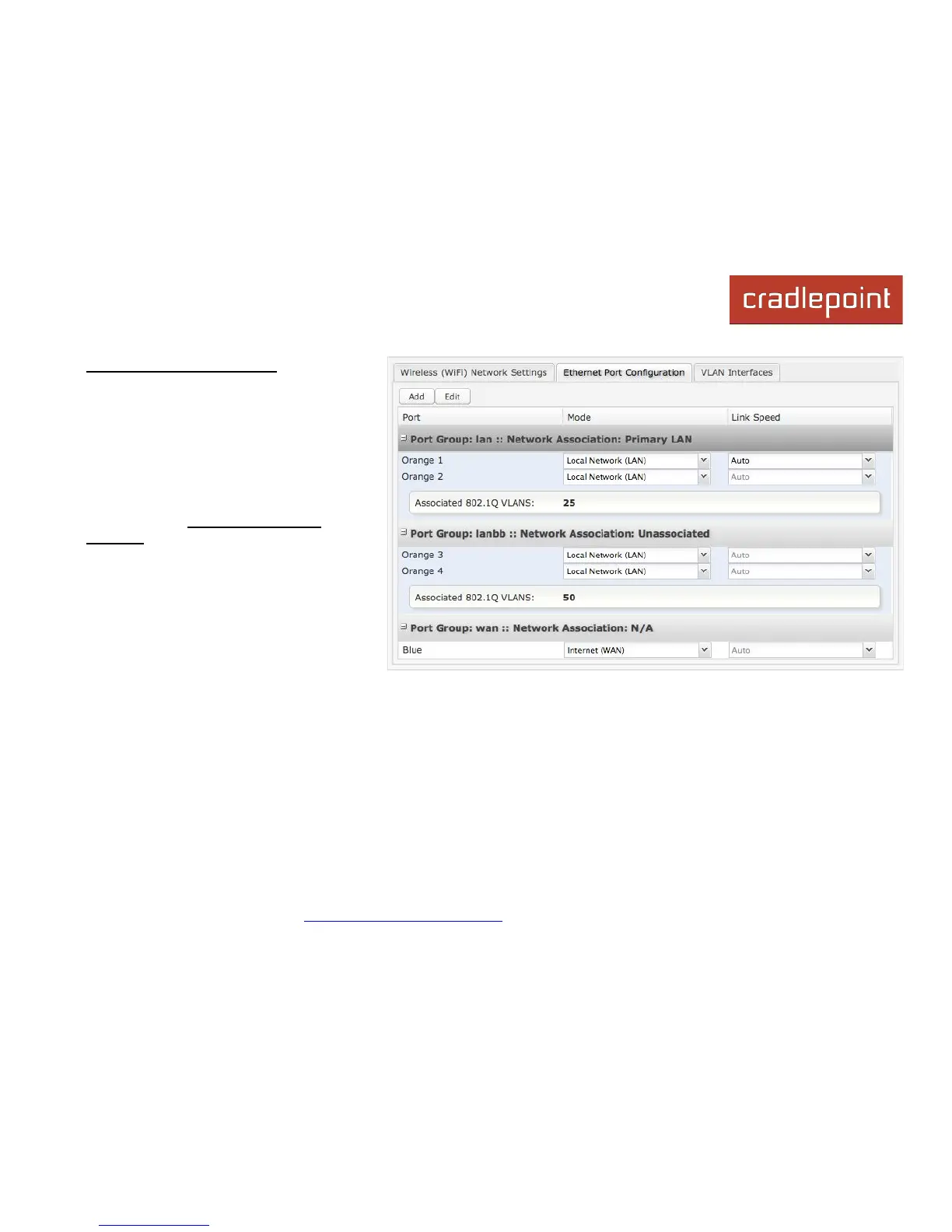
Ethernet Port Configuration provides
controls for your router’s Ethernet ports.
There are five total ports: one blue port and
four numbered orange ports. While default
settings will be sufficient in most
circumstances, you have the ability to
control: Mode (WAN or LAN) and Link
Speed. Additional controls for WAN ports
are available in Internet → Ethernet
Settings.
Mode: WAN or LAN. Default setting is WAN
(Wide Area Network) for the blue port and
LAN (Local Area Network) for the four
orange ports.
• Internet (WAN) is used to connect to
another network such as a hotel or
office wired network. The WAN
connection is used as a possible source of Internet for the MBR1400.
• Local Network (LAN) is for connecting a computer or similar device directly to the router with an Ethernet cable.
Link Speed: Default setting is Auto. The Auto setting is preferred in most cases.
• Auto
• 10Mbps - Half Duplex
• 10Mbps - Full Duplex
• 100Mbps - Half Duplex
• 100Mbps - Full Duplex
• 1000Mbps - Full Duplex














 To Next Page