CRADLEPOINT MBR1400 | USER MANUAL – Firmware version 5.0
© 2013 CRADLEPOINT, INC. PLEASE VISIT HTTP://KNOWLEDGEBASE.CRADLEPOINT.COM/ FOR MORE HELP AND RESOURCES PAGE 137
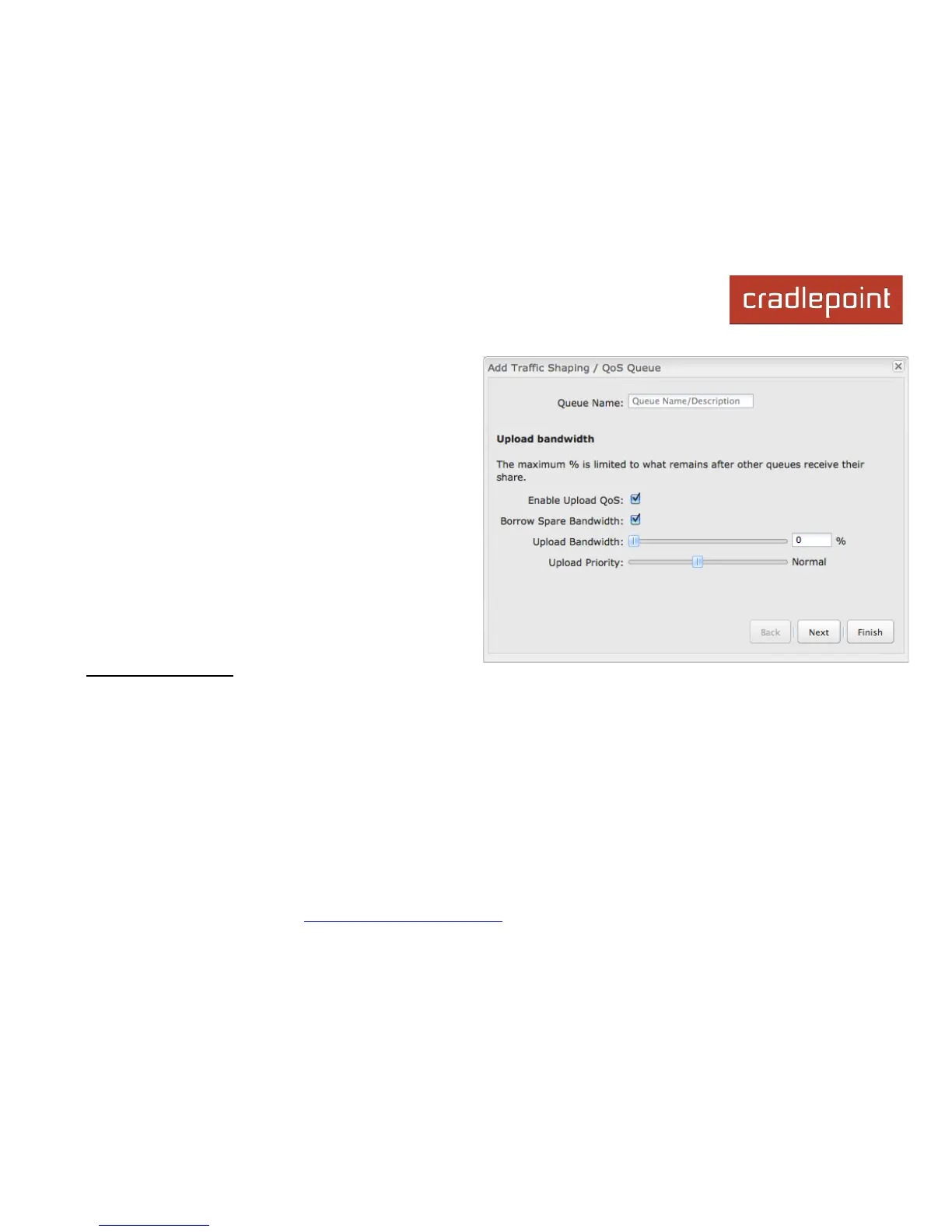
Upload Priority: The priority value has two different effects
on traffic. Higher priority traffic is handled before lower priority
traffic, which can lead to shorter response times. Also, when
spare bandwidth is available it is offered to higher priority
queues first. Move the slider to select from the following
options (Default: Normal):
• Lowest
• Lower
• Below Normal
• Normal
• Above Normal
• High
• Higher
• Highest
Click Next to continue to the next page.
Download Bandwidth
Enable Download QoS: (Default: Enabled.) Deselect if you want your rule to apply to upload traffic only. Leave this
selected to include download restrictions with this queue.
Borrow Spare Bandwidth: (Default: Enabled.) When this is enabled, the interfaces/protocols associated with this rule will
borrow unused bandwidth from other rules. Disabling borrowing will restrict the traffic to the specified bandwidth. Higher
priority queues will be offered excess bandwidth first.
Download Bandwidth: This is the percentage of the connected WAN upload bandwidth that will be reserved for the
specified traffic. The maximum value is adjusted to the remaining percentage after other queues receive their share.














 To Next Page