CRADLEPOINT MBR1400 | USER MANUAL – Firmware version 5.0
© 2013 CRADLEPOINT, INC. PLEASE VISIT HTTP://KNOWLEDGEBASE.CRADLEPOINT.COM/ FOR MORE HELP AND RESOURCES PAGE 187
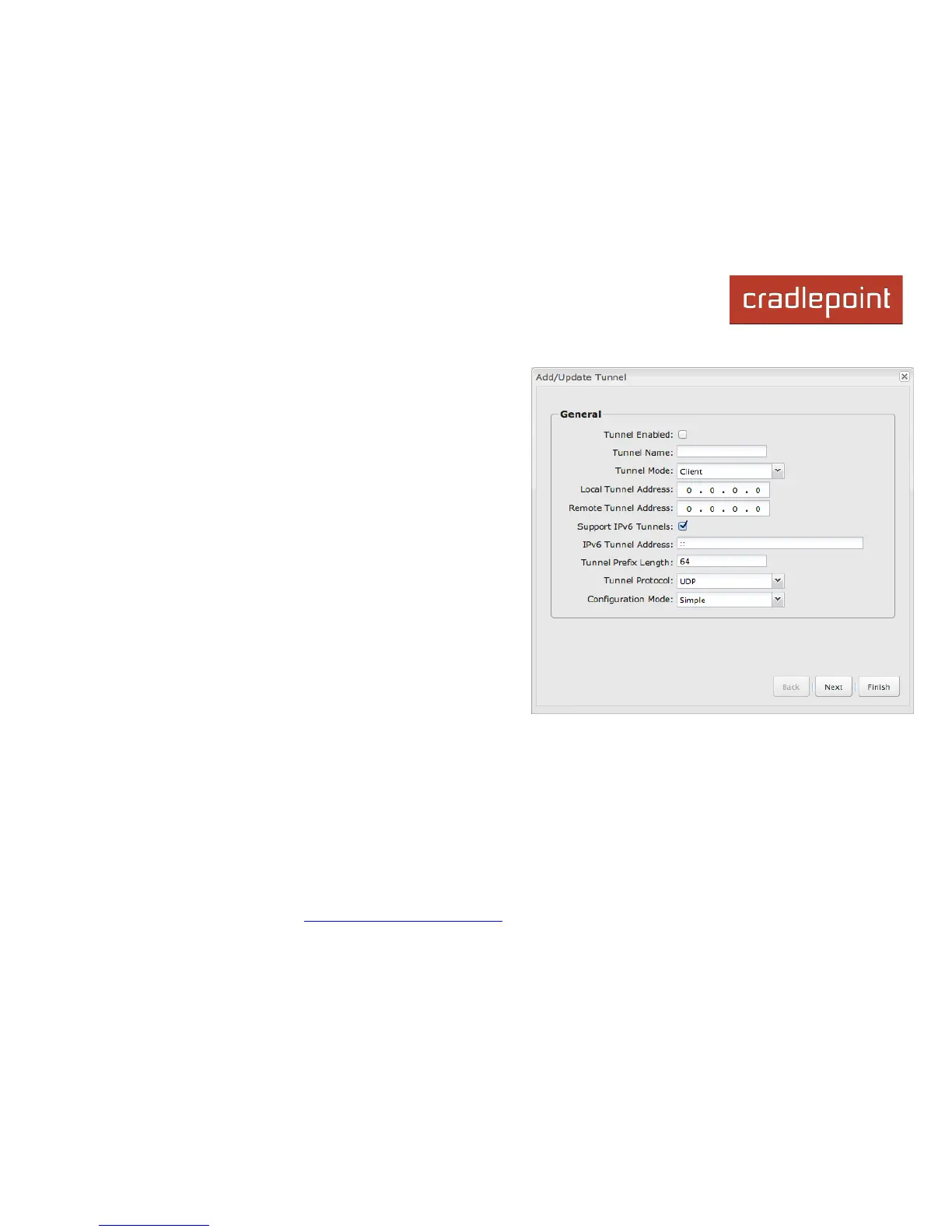
7.9.1 General
• Tunnel Enabled – Click to enable/disable this tunnel.
•
Tunnel Name – Enter a name to uniquely identify this tunnel.
•
Tunnel Mode – Select which mode this tunnel endpoint is
required to be. Choose from the following:
o
Client
o
Server
•
Local Tunnel Address – Enter the IP Address of the LNS
(tunnel server) peer.
•
Remote Tunnel Address – Enter the IP Address of the LNS
(tunnel server) peer.
•
Support IPv6 Tunnels – Allow IPv6 traffic to be forwarded
over this tunnel. If you select this option, also input an IPv6
Tunnel Address and Tunnel Prefix Length for IPv6
•
Tunnel Protocol – Choose UDP or TCP.
•
Configuration Mode – Simple configuration requires the
least amount of configuration for the tunnel, while advanced
allows for a more detailed setup.
•
Ping – (Displays if the Configuration Mode is Advanced) If
no packets have been sent in the amount of time entered, a
ping is sent to the remote endpoint.
•
Ping Restart – (Displays if the Configuration Mode is Advanced) If no pings have been received in the amount
of time entered, OpenVPN restarts the tunnel.














 To Next Page