CRADLEPOINT MBR1400 | USER MANUAL – Firmware version 5.0
© 2013 CRADLEPOINT, INC. PLEASE VISIT HTTP://KNOWLEDGEBASE.CRADLEPOINT.COM/ FOR MORE HELP AND RESOURCES PAGE 194
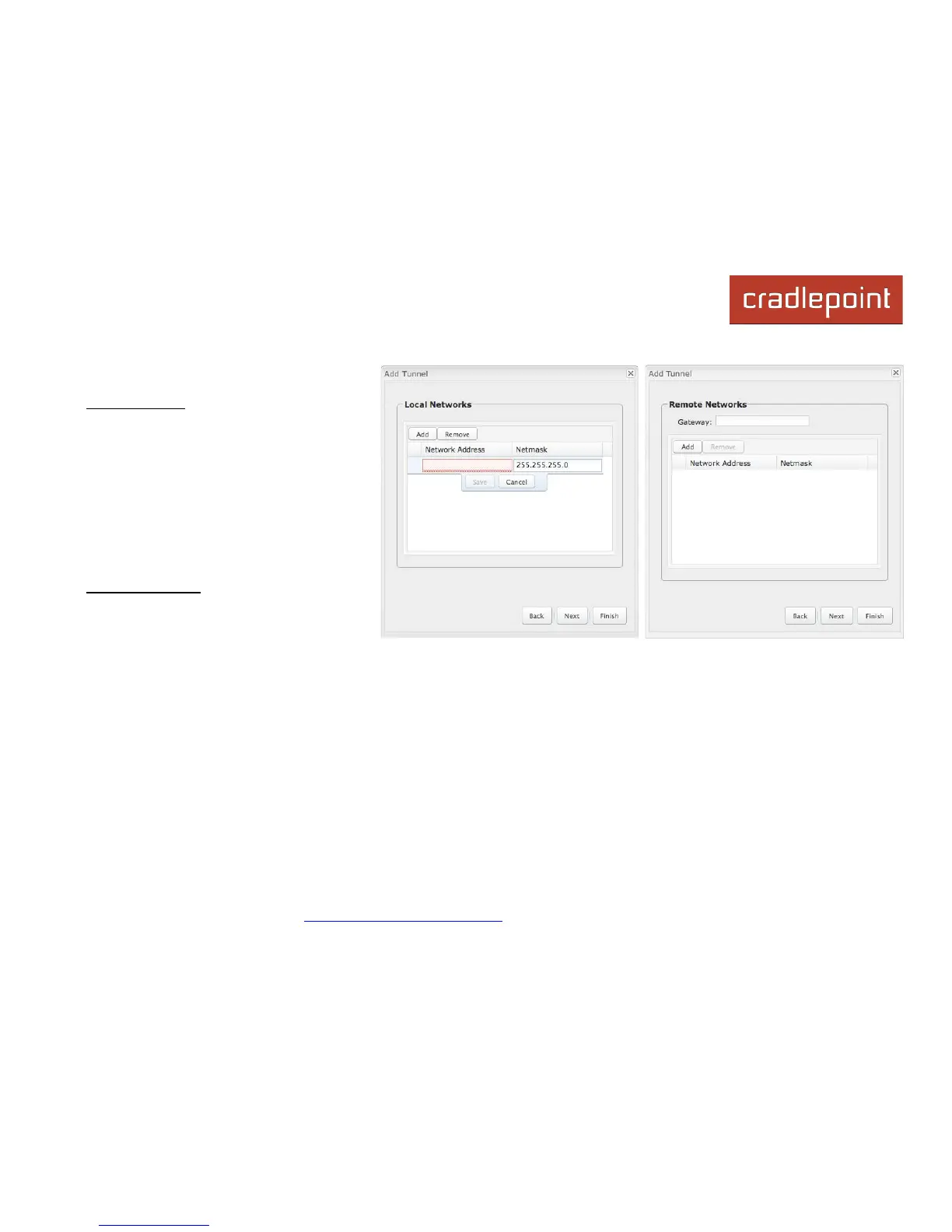
7.10.2 Page 2-3: Local and Remote
Networks
Local Network: The Network Address and
the Netmask define what local devices
have access to or can be accessed from the
VPN tunnel. The MBR1400 will
automatically fill in the values for your
network, but you can change the values to
limit the tunnel to only some of the devices
in your network.
NOTE: The local network IP address must be
different from the remote network IP address.
Remote Network: Enter the remote
Gateway's IP address or fully qualified
domain name (my.domain.com). It is
recommended you use a dynamic DNS host
name instead of the static IP address. By using the dynamic DNS host name updates of the remote WAN IP are
compensated for while connecting to a VPN tunnel.
Enter the Network IP address with the Subnet Mask to define the remote network subnet that the local devices will have
access to.
NOTE: The remote network IP address must be different from the local network IP address.














 To Next Page