CRADLEPOINT MBR1400 | USER MANUAL – Firmware version 5.0
© 2013 CRADLEPOINT, INC. PLEASE VISIT HTTP://KNOWLEDGEBASE.CRADLEPOINT.COM/ FOR MORE HELP AND RESOURCES PAGE 205
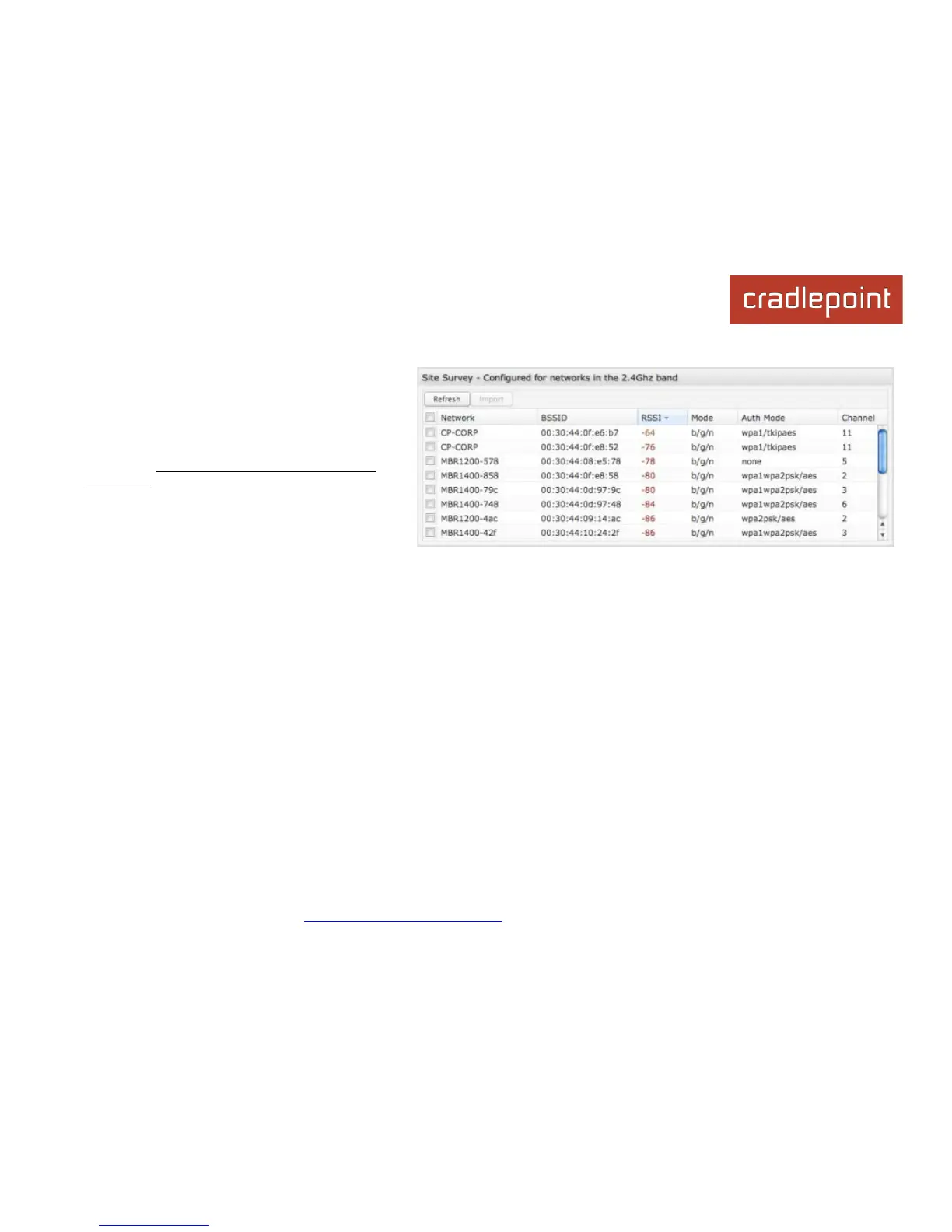
Click “Refresh” if a WiFi network to which you
want to connect is invisible. Site Survey only
operates on the band—2.4 GHz or 5.0 GHz—that
is currently configured in the WiFi advanced
settings. In order to connect to networks in a
different band, first switch the WiFi settings to
that band (Network Settings → WiFi / Local
Networks in Advanced Mode).
You have the option to manually add network
profiles, but it is usually much easier to import
them from Site Survey. Either click on Add
under “Saved Profiles” or select a WiFi network in “Site Survey” and click Import.
If you import a network from Site Survey, most of the information about the network will already be completed. You need
to input the password (if there is one) and then click submit to save the WiFi as WAN profile.














 To Next Page