CRADLEPOINT MBR95 | USER MANUAL Firmware ver. 3.6.3
SYSTEM SETTINGS → ADMINISTRATION
© 2011 CRADLEPOINT, INC. PLEASE VISIT HTTP://KNOWLEDGEBASE.CRADLEPOINT.COM/ FOR MORE HELP AND RESOURCES PAGE 109
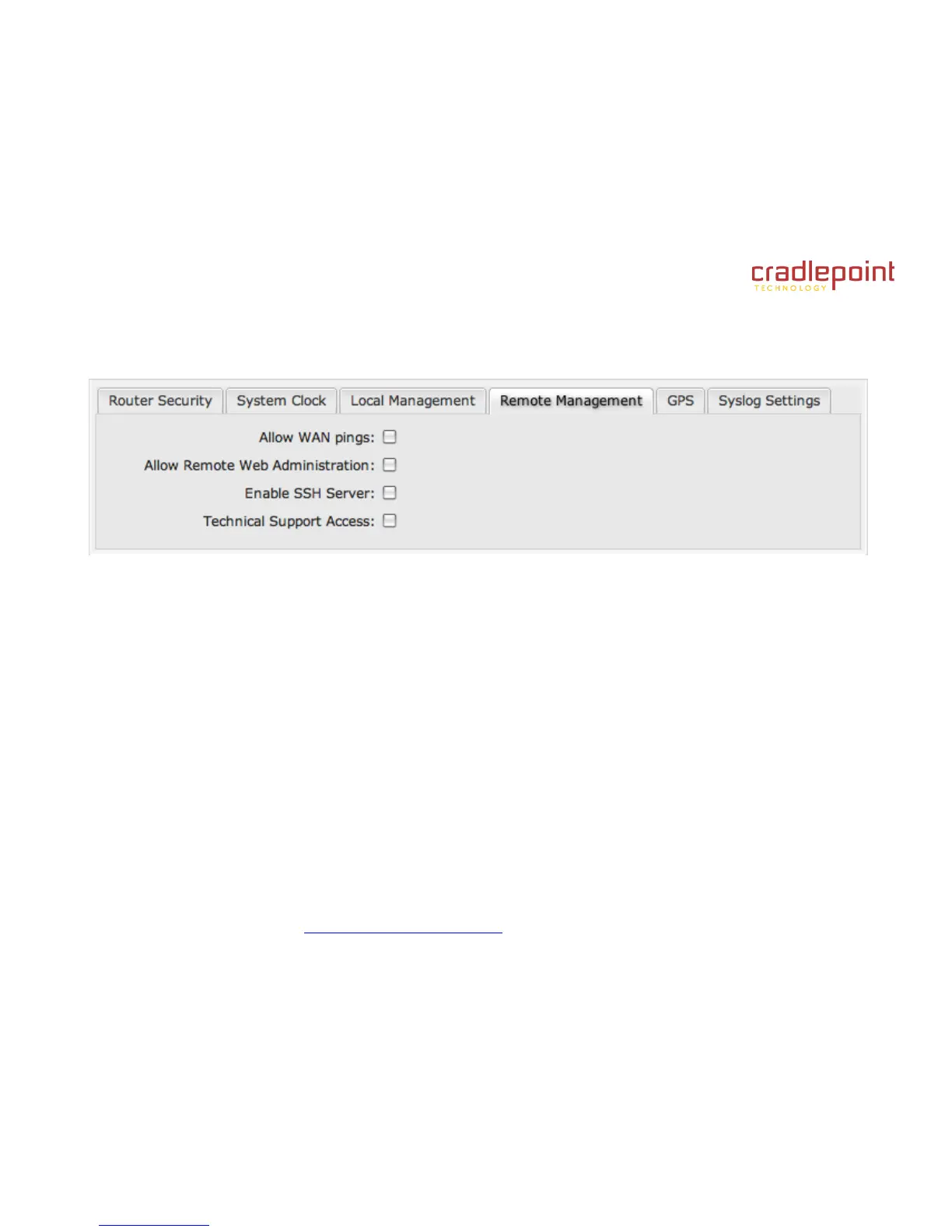
8.1.4 Remote Management
Allows a user to enable incoming WAN pings or to change settings for the router from the Internet using the router's
Internet address.
Allow WAN pings: When enabled the functionality allows an external WAN client to ping the router.
Allow Remote Web Administration: When remote administration is enabled it allows access to these administration web
pages from the Internet. With it disabled, you must be a client on the local network to access the administration website.
For security, remote access is usually done via a non-standard http port. Additionally, encrypted connections can be
required for an added level of security.
Require HTTPS Connection: Requiring a secure (https) connection is recommended.
HTTP Port: Default: 8080. This option is disabled if you select “Require Secure Connection”.
Secure HTTPS Port: Default: 8443.
Enable SSH Server: When the router's SSH server is enabled you may access the router's command line interface (CLI)
using the standards based SSH protocol. Use the username "admin" and the standard system password to login.
SSH Server Port: Default: 22.
Allow Remote SSH Access: Only enable this option if instructed by a CradlePoint support agent.
Technical Support Access: Only enable this option if instructed by a CradlePoint support agent.















 To Next Page