CRADLEPOINT MBR95| USER MANUAL Firmware ver. 3.6.3
NETWORK SETTINGS → WIFI / LOCAL NETWORKS
© 2011 CRADLEPOINT, INC. PLEASE VISIT HTTP://KNOWLEDGEBASE.CRADLEPOINT.COM/ FOR MORE HELP AND RESOURCES PAGE 77
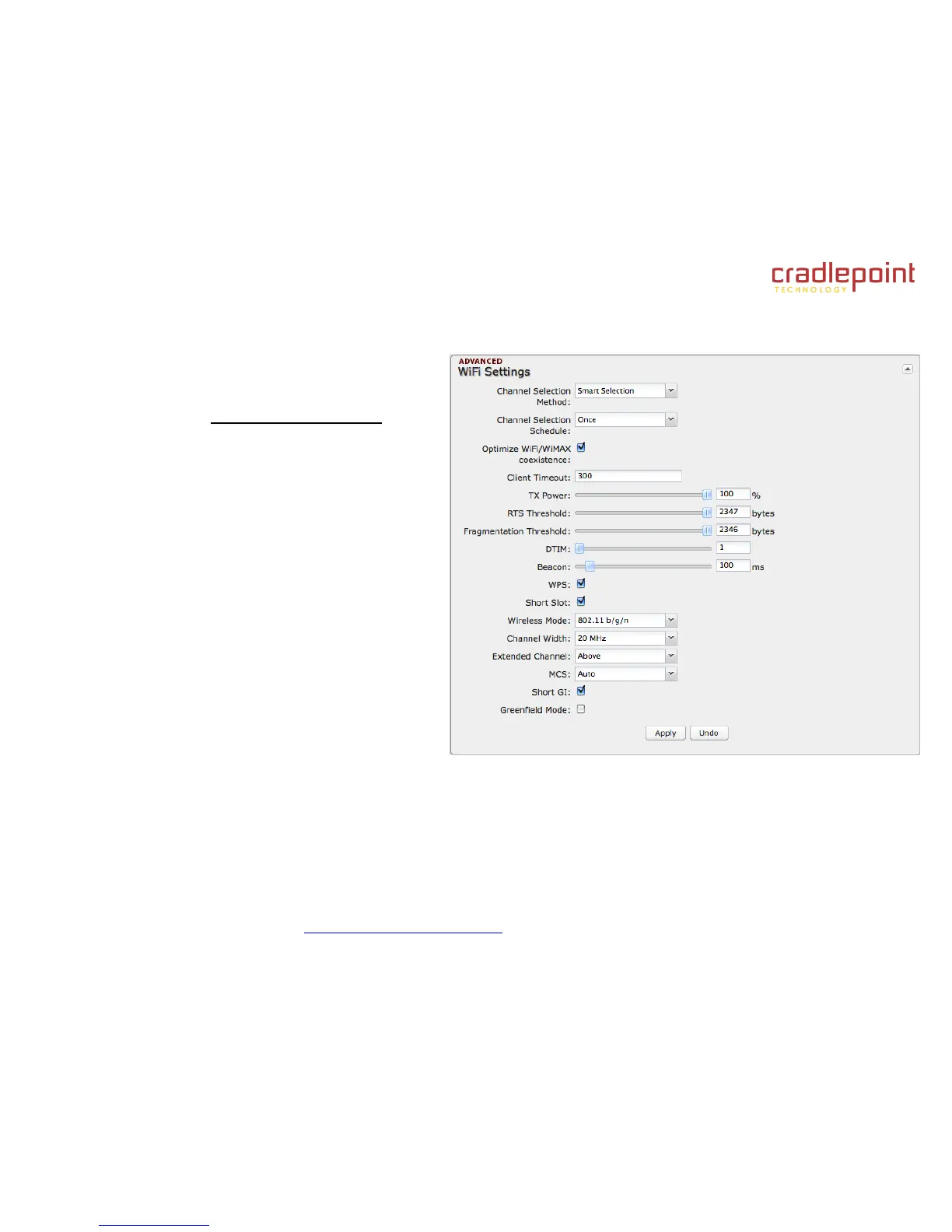
6.7.4 WiFi Settings (Advanced)
When you select the Wireless (WiFi) Networks
Settings tab in the Local Network Interfaces section,
you have several additional options for configuring
your wireless LANs under the WiFi Settings heading.
Channel Selection Method: This controls how a WiFi
channel is selected.
User Selection. Manually set the channel.
Random Selection. The router randomly sets
the channel.
Smart Selection (Default). Scans to determine
the lowest interference WiFi channel.
Channel Selection Schedule: When using the
"Smart" channel selection, this controls whether the
router will periodically rescan for a better channel and
change to it. Select from “Once,” “Daily,” “Weekly,” or
“Monthly.” Note that there may be a momentary WiFi
disconnection while the channel changes.
Optimize WiFi/WiMAX coexistence: (Shows if Smart
Selection or Random Selection is chosen.) Setting
this will lessen any possible conflict with WiFi and an
attached WiMAX modem. If a WiMAX modem is
attached to the router when the WiFi is enabled, the WiFi channel and transmit power will be set to levels that optimize the
performance of the WiMAX modem. If no WiMAX modem is attached, then default channel and power settings will be
used even if this is selected.















 To Next Page