CRADLEPOINT MBR95| USER MANUAL Firmware ver. 3.6.3
NETWORK SETTINGS → WIFI / LOCAL NETWORKS
© 2011 CRADLEPOINT, INC. PLEASE VISIT HTTP://KNOWLEDGEBASE.CRADLEPOINT.COM/ FOR MORE HELP AND RESOURCES PAGE 76
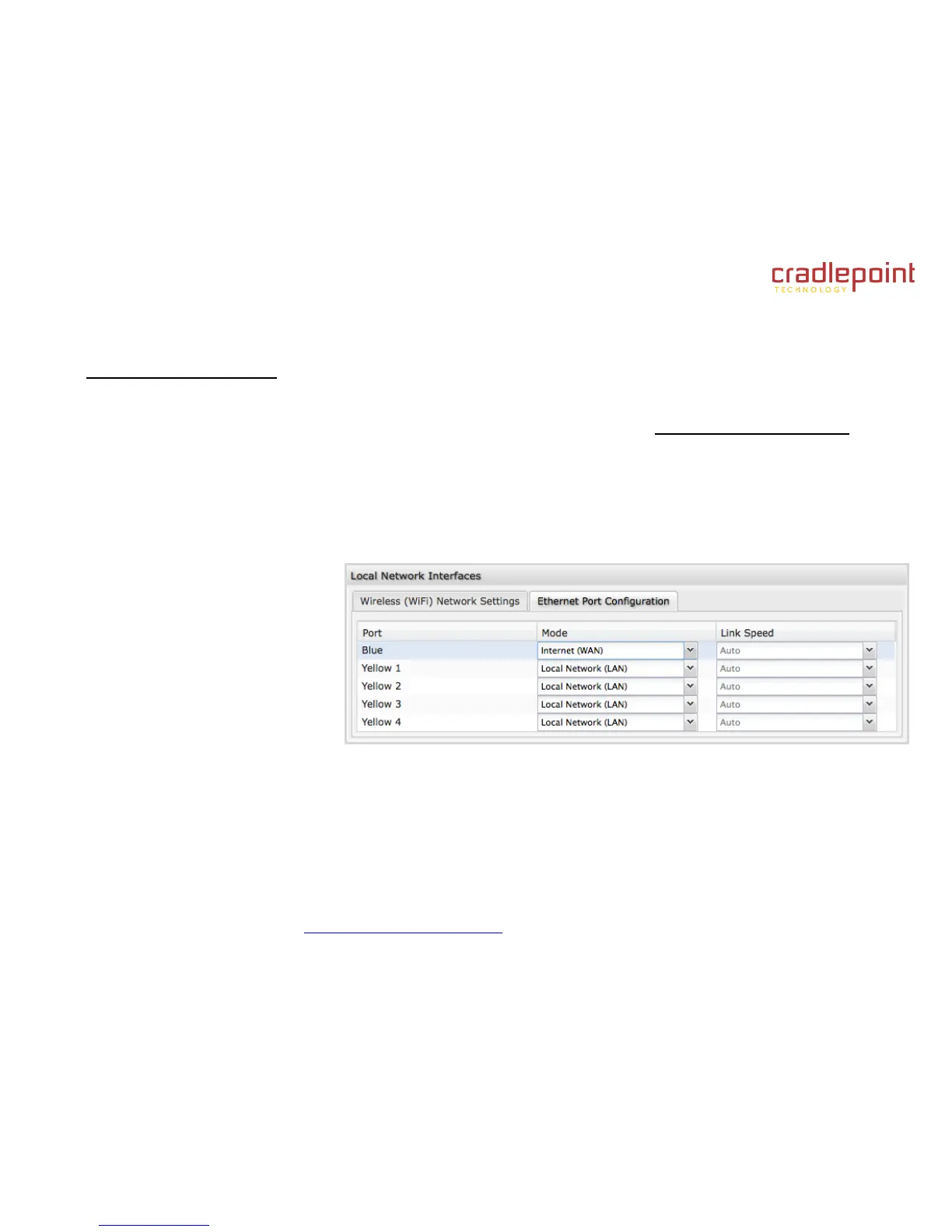
Ethernet Port Configuration
Ethernet Port Configuration provides controls for your router’s Ethernet ports. There are five total ports: one blue port and
four numbered yellow ports. While default settings will be sufficient in most circumstances, you have the ability to control:
Mode (WAN or LAN) and Link Speed. Additional controls for WAN ports are available in Internet → Ethernet Settings.
Mode: WAN or LAN. Default setting is WAN (Wide Area Network) for the blue port and LAN (Local Area Network) for the
four yellow ports.
Internet (WAN) is used to connect to another network such as a hotel or office wired network. The WAN
connection is used as a possible source of Internet for the MBR1400.
Local Network (LAN) is for connecting a computer or similar device directly to the router with an Ethernet cable.
Link Speed: Default setting is Auto. The Auto setting is preferred in most cases.
Auto
10Mbps - Half Duplex
10Mbps - Full Duplex
100Mbps - Half Duplex
100Mbps - Full Duplex
1000Mbps - Full Duplex















 To Next Page