8
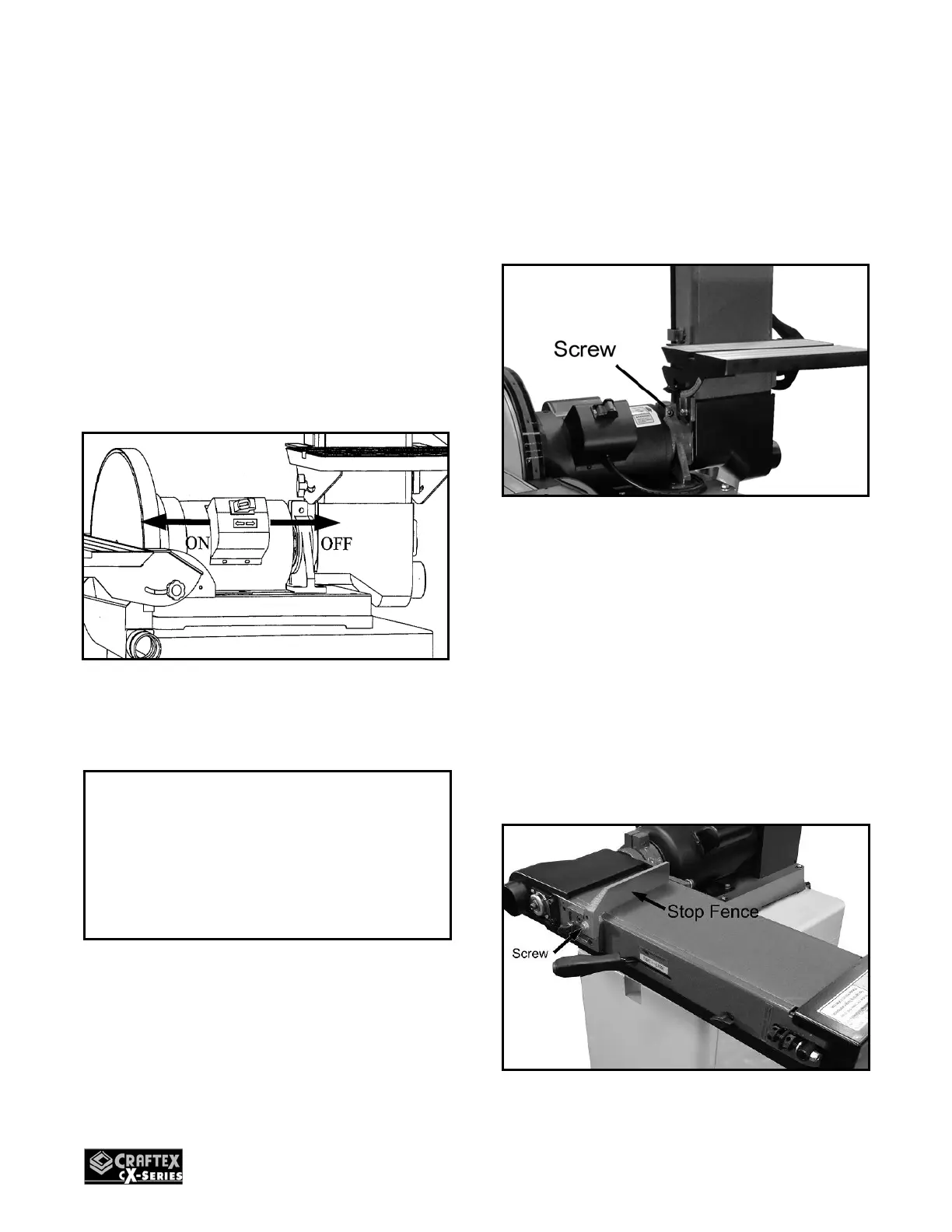
ON/OFF POWER SWITCH
CX501 is equipped with a rocker-type
power switch which starts and stops the
motor and is located on the junction box of
the motor. The switch features a removable
locking key to prevent unauthorized
operations. When the sander is not in use
for a long period of time, simply remove the
locking key and store it in a safe place.
To start the sander, insert the locking key
and shift the switch to the left.
Figure-2 On/Off Switch
HORIZONTAL/VERTICAL
SANDING
1. Loosen the screw securing the sander
frame to the motor bracket using a 6
mm hexagonal wrench.
Figure-3 Removing the screw
2. Remove the belt sander table.
3. Move the belt sander to horizontal /
vertical position manually.
4. Tighten the screw securely after the belt
sander has been positioned horizontally
/ vertically.
Make sure to mount the stop fence as
shown in figure-4 when performing flat
surface sanding.
Figure-4 Installing stop fence
IMPORTANT
To prevent any type of accidental
injuries, make sure the power switch is in
the OFF position before connecting the
sander to the power source.


 To Next Page