9
TILTING THE TABLES
Both tables on CX501 sander can be tilted
from 0° to 45°.
To tilt the tables:
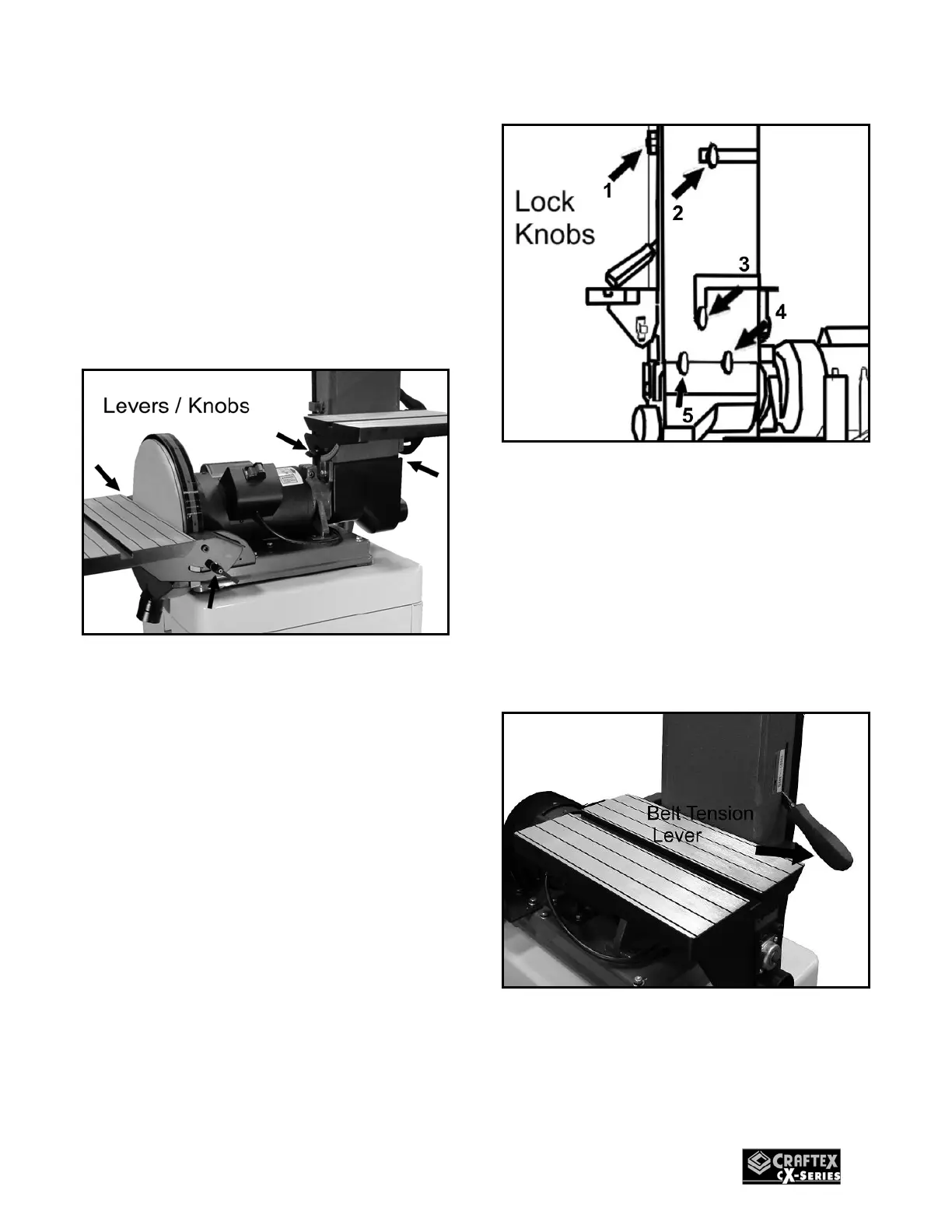
1. Loosen the table levers/knobs securing
the tables to the sander frame, located
under the right and left sides of each
table.
Figure-5 Loosening the levers/knobs
2. Adjust the tables tilt position according
to the graduated scales attached for
indicating the tilting degree of the tables.
3. Retighten the levers/knobs securely.
REMOVING THE SANDING
BELT
1. Turn off the sander and disconnect the
cord from the power source.
2. Loosen the 5 lock knobs securing the
belt guard and remove it. See figure-6
Figure-6 Lock knobs to be loosened
3. Loosen the two table lock levers and the
two screws holding the table to the
sander and remove the table.
4. Remove the table-tilt graduated scale.
5. Loosen the belt tension by shifting the
belt tension control lever upward.
Figure-7 Releasing the belt tension
6. Remove the sanding belt from the right
side.


 To Next Page