11
DUST COLLECTION
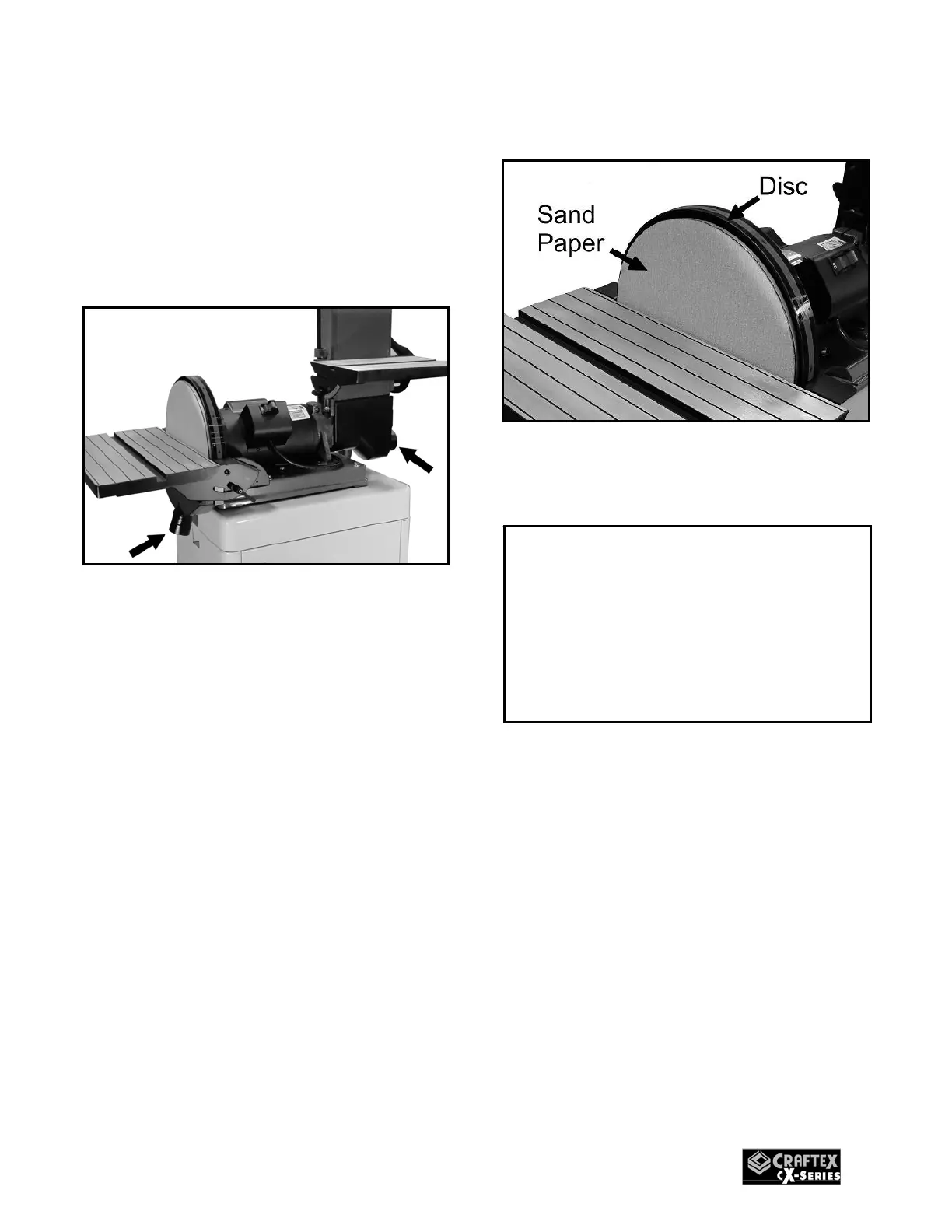
CX501 features two dust ports; 2” & 2-3/8”
to connect to a dust collector.
When connecting to a dust collector, use a
proper sized hose and make sure all the
connections are sealed tightly.
Figure-9 Dust ports
INSTALLING SANDING
DISC PAPER
CX501 features a 12” sanding disc.
Remove the disc table by loosening the
screws securing it to the sander and
remove the old sanding paper.
For easy sanding disc installation and
removal, the 12” disc features Velcro pad
and accepts sanding papers with Velcro
backing.
When installing the disc, simply attach the
Velcro backing sand paper to the disc and
press it to make sure the sanding paper is
properly attached.
Figure-10 Installing the sand paper
IMPORTANT
Make sure you have done the tracking
adjustment and the belt is centered on
both the rollers before you start the
sander for a test run. See page-10 for
details on belt tracking.


 To Next Page