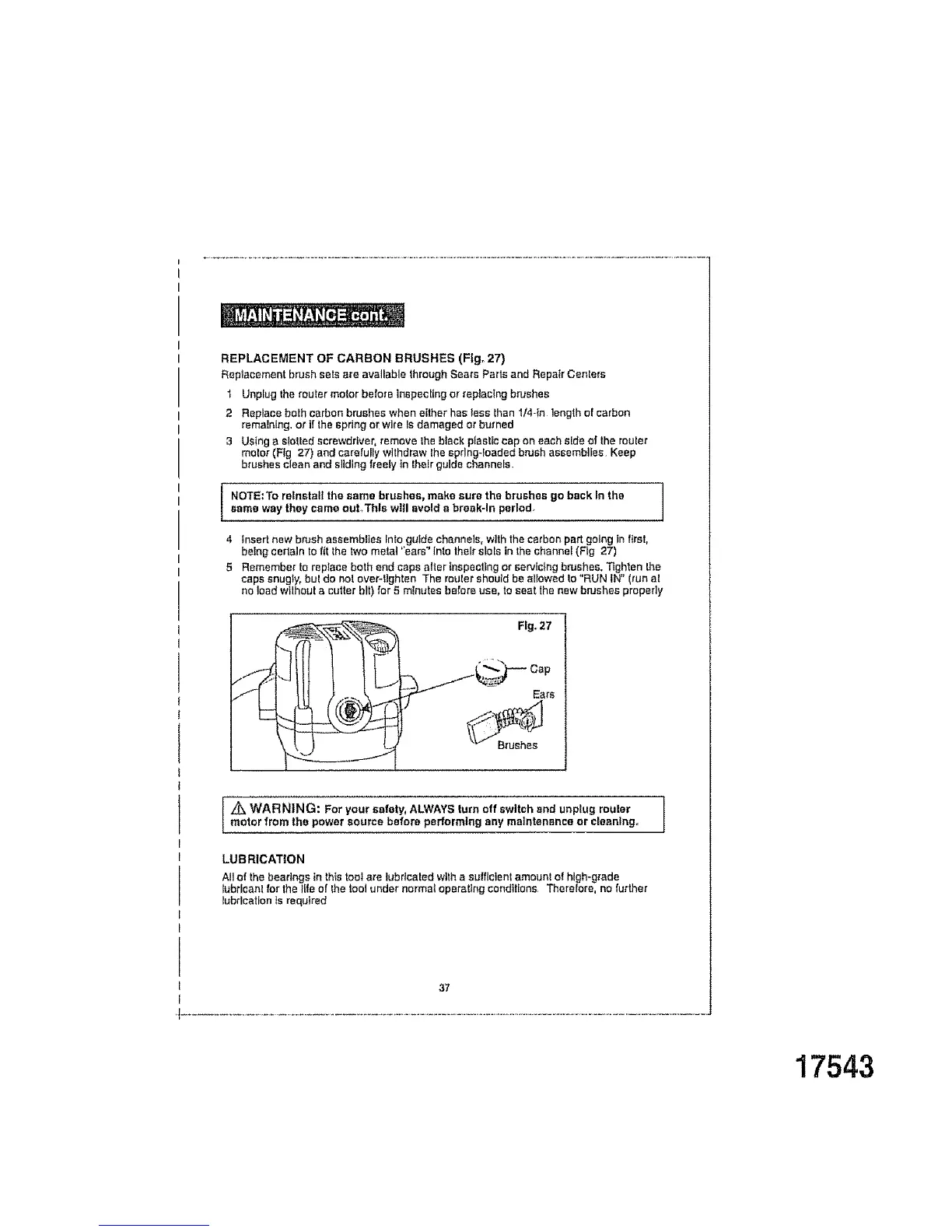
REPLACEMENT OF CARBON BRUSHES (Ffg_ 27)
Replacement brush sets are available throughSears Partsand Repair Centers
1 Unplug the _routermotor before inspecting or replacing brushes
2 Replace both carbon brushes when either has tess than1/4-In length of carbon
remaining, or if the spring or wire Is damaged or burned
3 Using a stetted screwdriver, remove thebtack plasticcap on each side of the router
motor (Fig 27) and carefullywithdraw Ihesprlng-foaded brush assemblies Keep
brushes clean and sliding freely in their guide channels,
I NOTE:To reinstall the same brushes, make sure the brushes go back in the |
3
same way they came ouLThls will avoid a break-In perlod_
]
4 tnsert new bnJsh assembliesInto guide channels,withthe carbonpart going in first,
being cerfaln to fit the two motet "ears_Info lhelr slots in the channel (Fig 27)
5 Rememberto replace both end caps after [nepecf)ngor servicingbrushes, Tighten the
caps snugly,but do not over-tighten The routershou/d be allowedto "RUN IN" (run at
no load withouta cutterbit) for 5 minutes before use, toseat the new brushes properly
Fig,,27
Z_ WARNING: For your safety, ALWAYS turn off switch end unplug routermotor from the power source before performing any maintenance or cleaning°
LUBRICATION
All of the bearings in thistoolare lubricatedwitha su|flcientamountof hlgh-g_ade
lubi'lcant for the llfe of |he tool under normal operattng cendtttons Therefore, no further
lubrication is required
37
17543



 To Next Page