Page 95 of 101
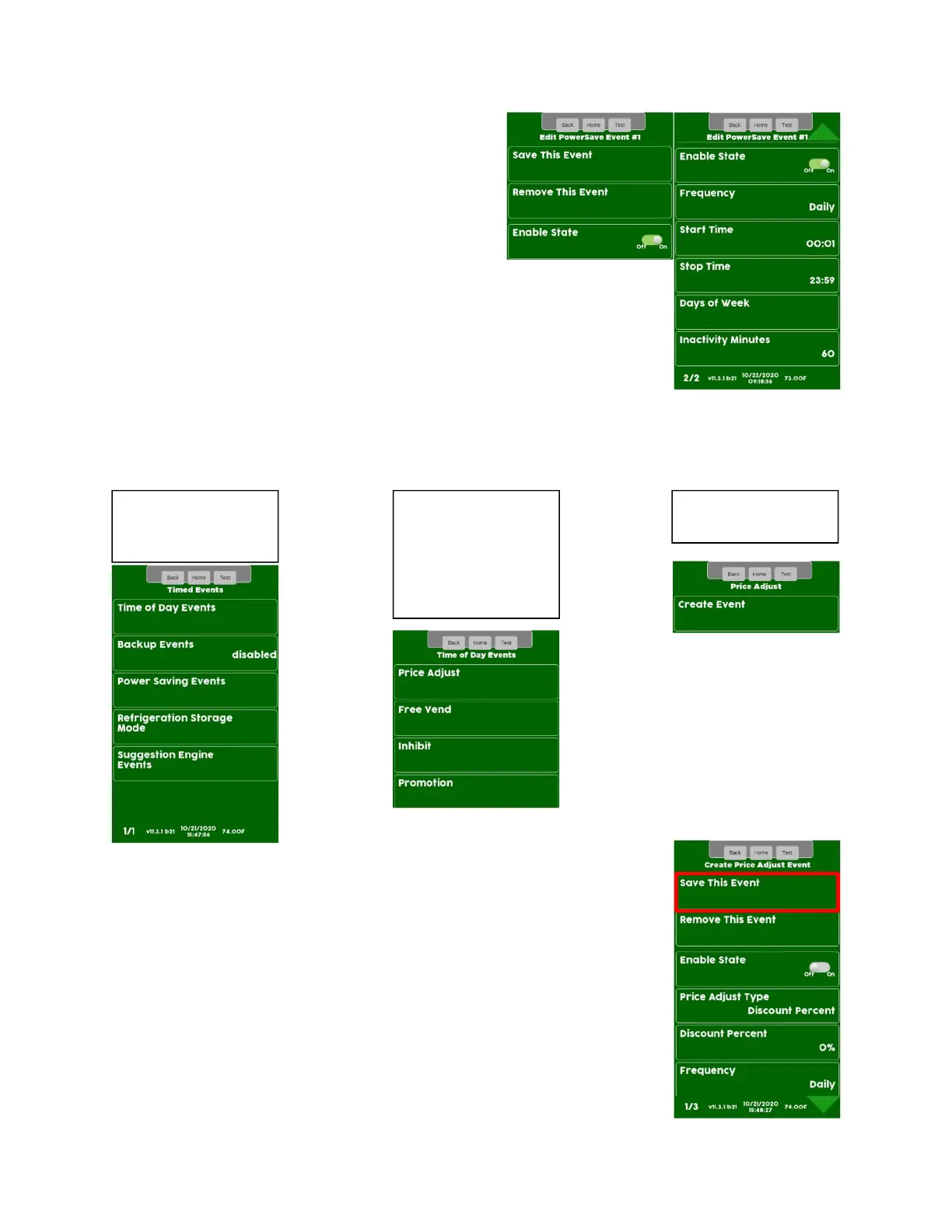
Power Saving Events
• The Power Saving Events Menu allows you to
create Events where the 2 Light Assemblies in
the right wall of the refrigerated compartment
will turn off to save energy.
• This Menu allows you to program the time
and day or days you wish the Power Saving
Events to be active.
• There is one additional feature that is only in the Power Saving Events
Menu. This feature allows you to set the number of minutes of
inactivity (Inactivity Minutes) before the Machine goes into Power
Saving Mode.
• Inactivity Minutes are settable from 1 to 600.
• Save your changes often by choosing Accept then Save This Event. If
you exit without choosing Save This Event your changes will be lost!
To Create New Event
To Create/Remove Event
Program all options for an Event before saving. Once the Event details are
programmed Touch Save This Event to save or your changes will be lost!
Event you wish to
If you choose Time of
Day Events you will
need to choose the
Event Type, all other
choices will take you
to the next Screen.


 To Next Page
 Loading...





