AFTER SALES SUPPORT
1800 465 070
24
service@actionspares.com.au
MODEL: S002391 PRODUCT CODE: 14498 06/2020
How To Use The Console Display (cont)
Operation procedure
1. Power on
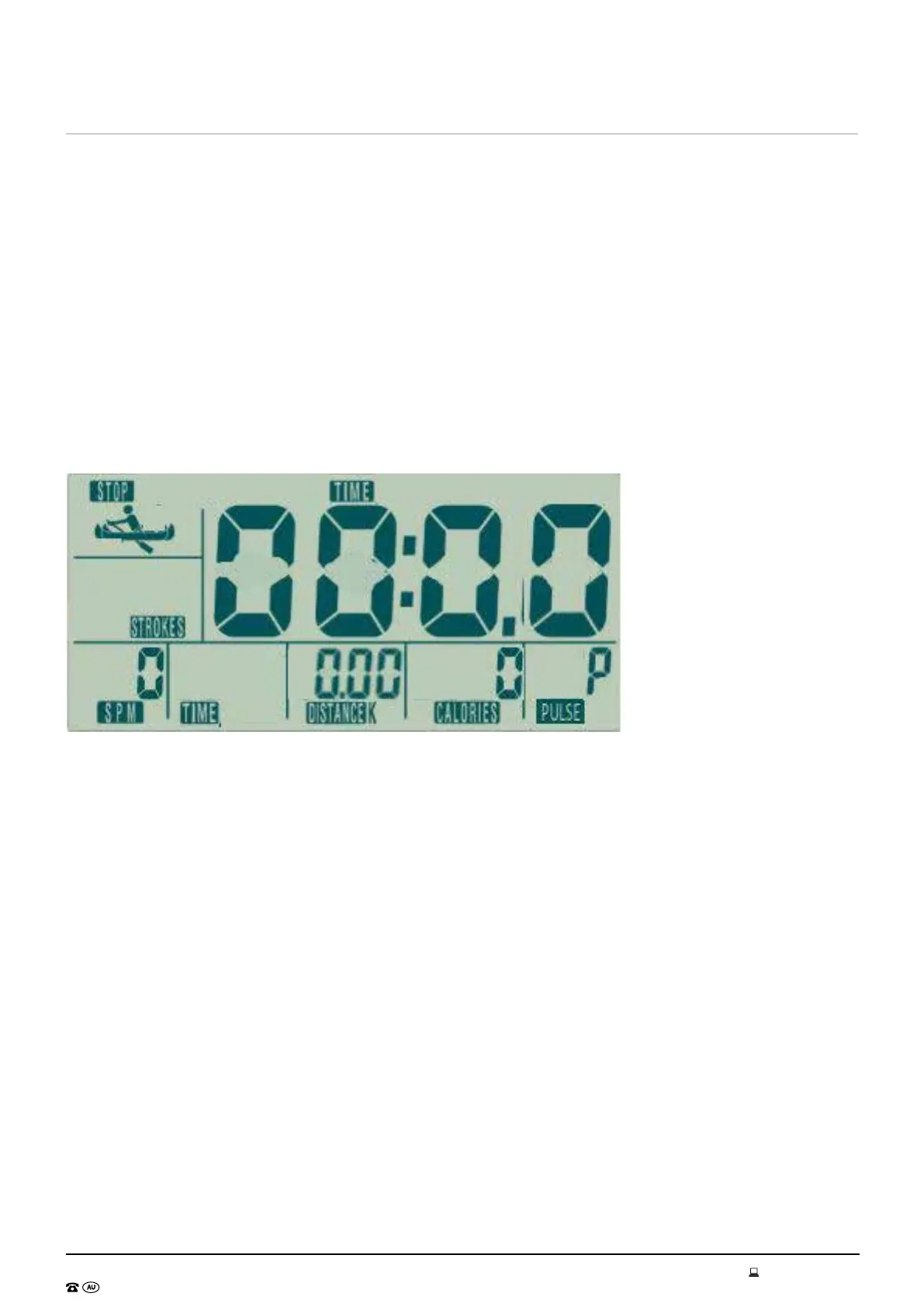
When the power is on ( or press TOTAL RESET) the LCD will display 2s (picture 1), then the console will
enter into standby mode (picture 2).
2. Standby mode
1. After power on, the console enter into SCAN- standby mode: STROKES-TIME-DIST- CAL- PULSE will
display circularly 5 seconds in turn. (picture 2~picture3)
2. In standby mode, no input of key operation or RPM signal or pulse input for 4Min, LCD will go to
Sleeping mode.
3. Select mode
In standby mode, press MODE KEY, user can select STROKES-TIME-DIST-CAL-PULSE to set training
mode.Press UP/DOWN to set target exercise value. If there is sensor signal input, set the target value,
the console will count down form the target value to zero.( if there is no signal input, the value will cycle
count.
1. STROKES setting range: 0~9990 (press UP/DOWN to increase/decrease, press RESET, all value will
return to zero.)
2. TIME setting range : 0:00~99:00 (press UP/DOWN to adjust,each increment/ decrease value is 1.
Press RESET, all value will return to zero.)
3. DIST setting range : 0~99.50 ( press UP/DOWN to adjust, each increment/decrease value is 0.5.
Press RESET, all value will return to zero.)
4. CAL setting range: 0~9990 ( press UP/DOWN to adjust,each increment/ decrease value is 10. Press
RESET,all value will return to zero.
5. PULSE setting range: 30~240 (the preset value is 30, press UP/DOWN,each increment/decrease
value is 1. Press RESET, all value will return to zero.)
6. In standby mode, press MODE+UP for 3 seconds which can power off quickly.


 To Next Page