24
18. Lock Board B
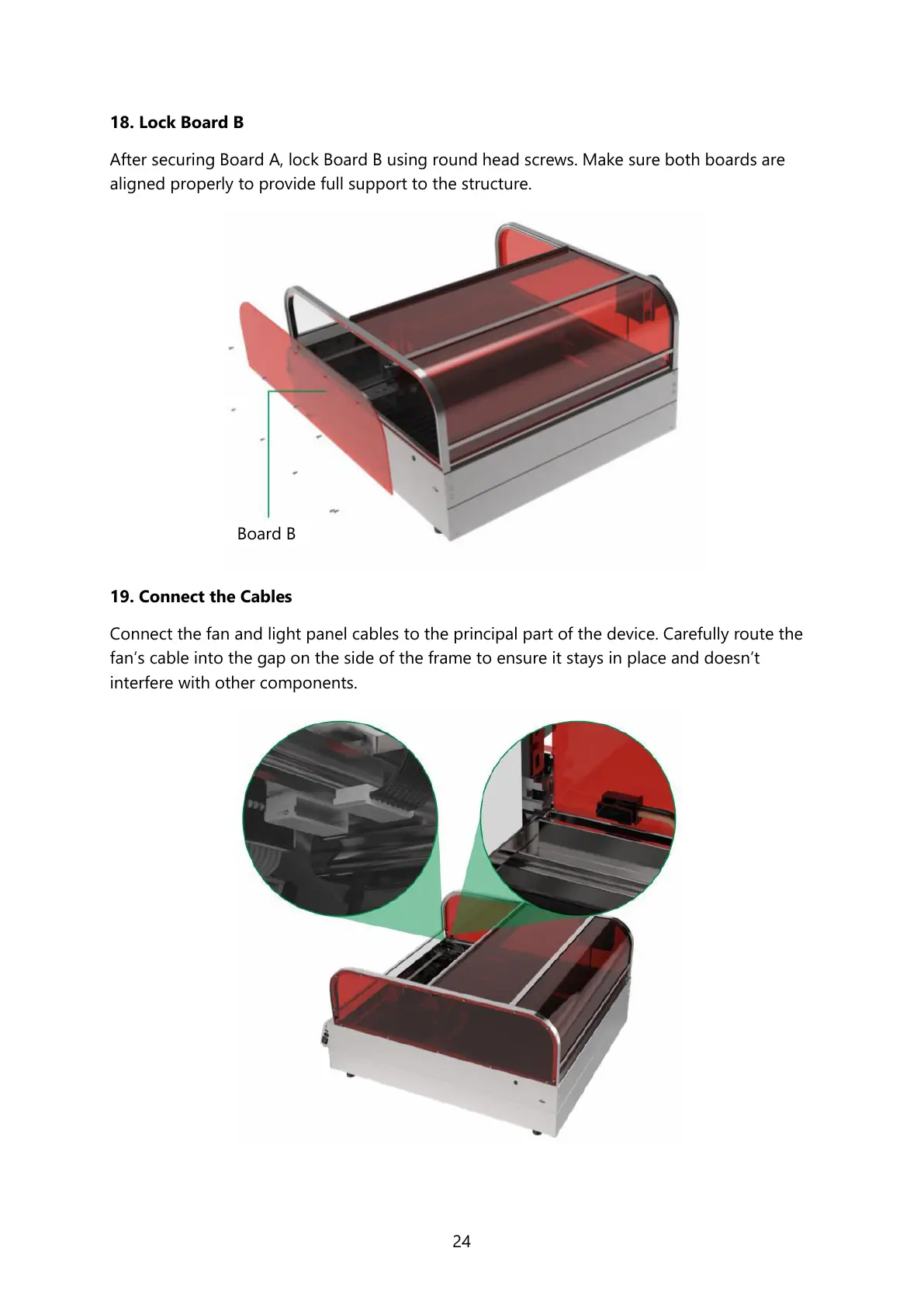
After securing Board A, lock Board B using round head screws. Make sure both boards are
aligned properly to provide full support to the structure.
19. Connect the Cables
Connect the fan and light panel cables to the principal part of the device. Carefully route the
fan’s cable into the gap on the side of the frame to ensure it stays in place and doesn’t
interfere with other components.



 To Next Page