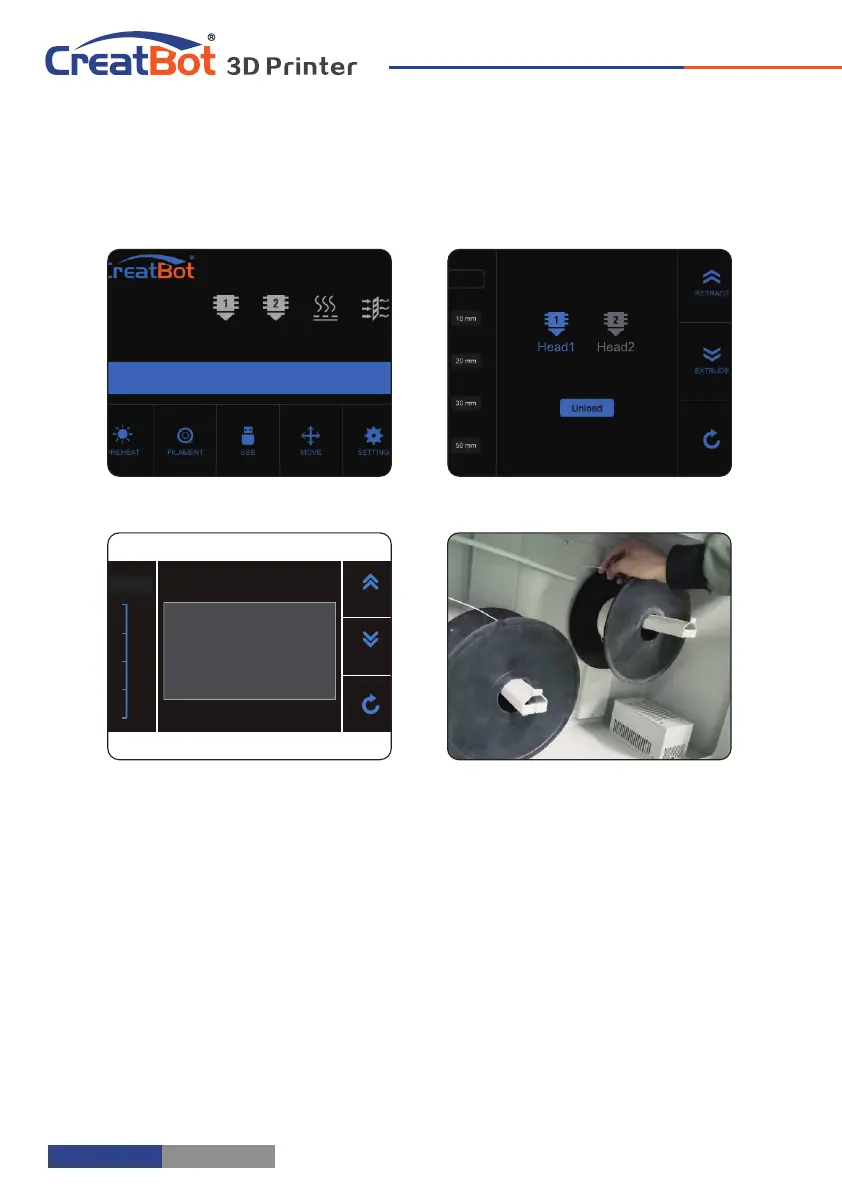
Unload/Change Filament
Printer Operation
23 ° C 23 ° C 23 ° C 23 ° C
0° C 0 ° C 0 ° C 0 ° C
1. Enter "Filament" menu ->"Unload filament", and select the head you
want unload.
2. Wait for the nozzle heated to a suitable temperature.
3. After reching temperature, feeder will send a certain number of filament,
and then automatically withdraw filament.
4. To manually unload filament, same as above mentioned.
Unload filament menu
Preheat head
Pull out filament
Unloading filament
- 10 -
0
225
300
150
75
Unload
Extrude
Retract
Head 1
Unloading filament...
- 11 -
Touchscreen
Printer Operation
Main Menu
Preheat PLA
Move axis Filament menu
Resume Setting
Open U-disk
Cool down
USB unavailable
Z up Pause
Stop
Z down
23 ° C 23 ° C 23 ° C 23 ° C
0 ° C 0 ° C 0 ° C 0 ° C



 To Next Page