EasyManua.ls Logo

Create SILKAIR CONNECT - User Manual

Create SILKAIR CONNECT
80 pages
Print Icon
To Next Page IconTo Next Page
Loading...
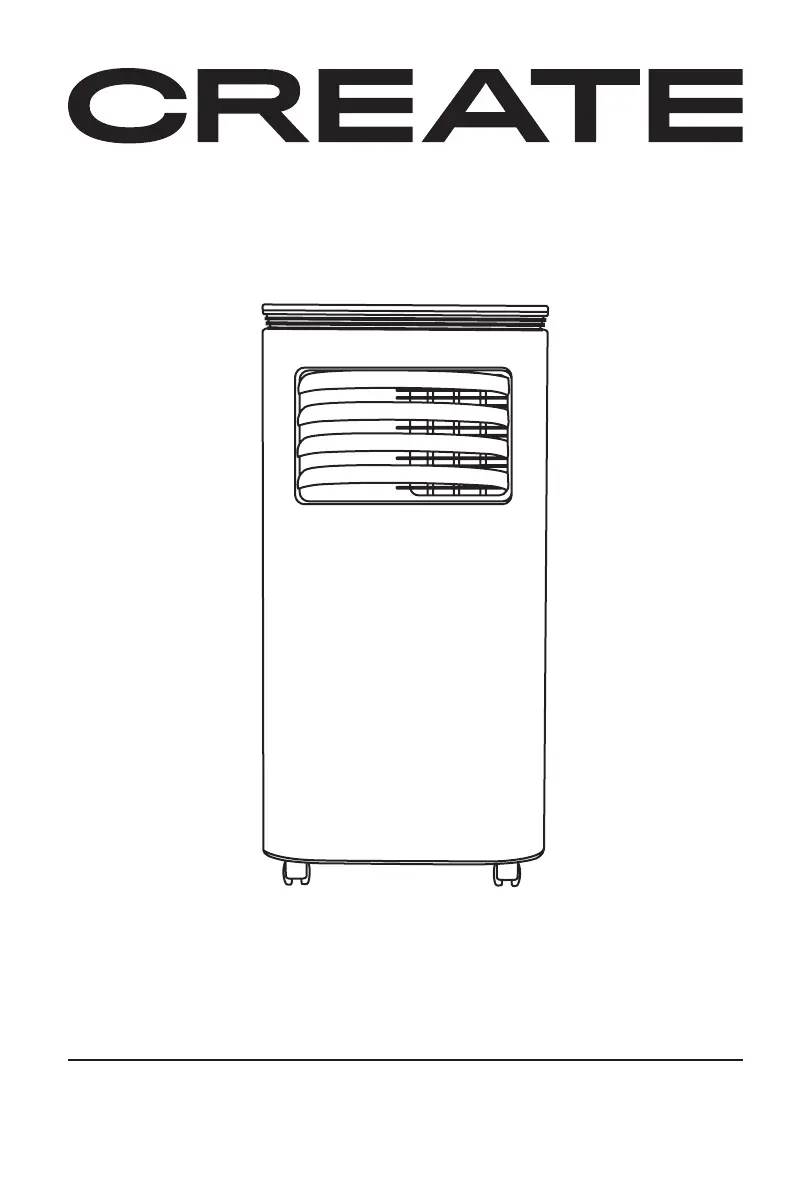
PORTABLE AIR CONDITIONER 3 IN 1 WITH WiFi
AIRE ACONDICIONADO PORTÁTIL 3 EN 1 CON WiFi
USER MANUAL
SILKAIR CONNECT

Table of Contents

Questions and Answers

  • R
    Robert GreenAug 7, 2025
    Why is the cooling effect not good on my Create SILKAIR CONNECT?
    • M
      Michelle CarrAug 7, 2025
      The cooling effect of your Create Air Conditioner might be poor due to several reasons. Direct sunlight can impact cooling, so try pulling the curtains. Open doors or windows, a crowded room, or other heat sources can also reduce cooling efficiency; close any openings and consider an additional air conditioner. A dirty filter screen can restrict airflow, so clean or replace it. Finally, check for any obstructions blocking the air inlet or outlet and clear them.
  • L
    Lauren MacdonaldAug 13, 2025
    How to fix a Create SILKAIR CONNECT Air Conditioner remote control that is not working?
    • C
      Claudia CortezAug 13, 2025
      If your Create Air Conditioner remote control isn't working, first ensure you are close enough to the unit and that the remote is pointed directly at the receiver. If that doesn't work, replace the batteries in the remote.
  • K
    katelyn99Aug 19, 2025
    What to do if my Create SILKAIR CONNECT does not work?
    • C
      Carla GuerraSep 12, 2025
      If your Create Air Conditioner isn't working, first, make sure it's properly connected to a working electrical socket and turned on. If the overflow indicator displays 'FL', discharge the water inside. Also, ensure the ambient temperature is between 7-35°C (44-95°F). If in cooling mode, check that the room temperature isn't lower than the set temperature; in heating mode, ensure it's not higher, and adjust the set temperature accordingly. In dehumidification mode, the room temperature should be greater than 17°C (62°F).
  • M
    megan50Aug 26, 2025
    What does 'E1' mean on my Create SILKAIR CONNECT Air Conditioner?
    • R
      Ryan FosterAug 26, 2025
      If your Create Air Conditioner displays 'E1', it indicates that the pipe temperature sensor is abnormal. Check the pipe temperature sensor and its related circuitry.
  • Z
    zmooreAug 31, 2025
    What does 'E2' mean on my Create Air Conditioner display?
    • M
      michelle37Aug 31, 2025
      If your Create Air Conditioner displays 'E2', it means the room temperature sensor is abnormal. You should check the room temperature sensor and the related circuitry.

Summary

Security Instructions

Features

Parts List

Control Panel Overview

Remote Control

App Connection

System Requirements for App Connection

Lists the minimum operating system versions required for the mobile app.

How to Connect to the App

Step-by-step instructions for pairing the air conditioner with the mobile application.

Protection Functions

Frost Protection Function

Explains how the unit protects itself from freezing during operation.

Overflow Protection Function

Describes the alarm and shutdown mechanism when the water tank is full.

Automatic Defrosting

Explains the automatic defrosting feature for optimal performance.

Compressor Protection Function

Details the delay function to protect the compressor lifespan.

Installation and Adjustment

Installing the Heat Pipe

Instructions for connecting the exhaust heat pipe to the unit and window.

Installing the Window Sealing Plate

Steps for fitting the sealing plate to a window for efficient exhaust venting.

Appliance Placement

Guidelines for positioning the air conditioner unit with adequate clearance.

Drainage Instructions

Manual Drainage

Steps for manually draining condensed water from the unit's tank.

Continuous Drainage (Optional)

Instructions for setting up continuous drainage in dehumidifier mode.

Maintenance

Storage

Troubleshooting

Create SILKAIR CONNECT Specifications

General IconGeneral
BrandCreate
ModelSILKAIR CONNECT
CategoryAir Conditioner
LanguageEnglish

Related product manuals