15ENGLISH
B
B
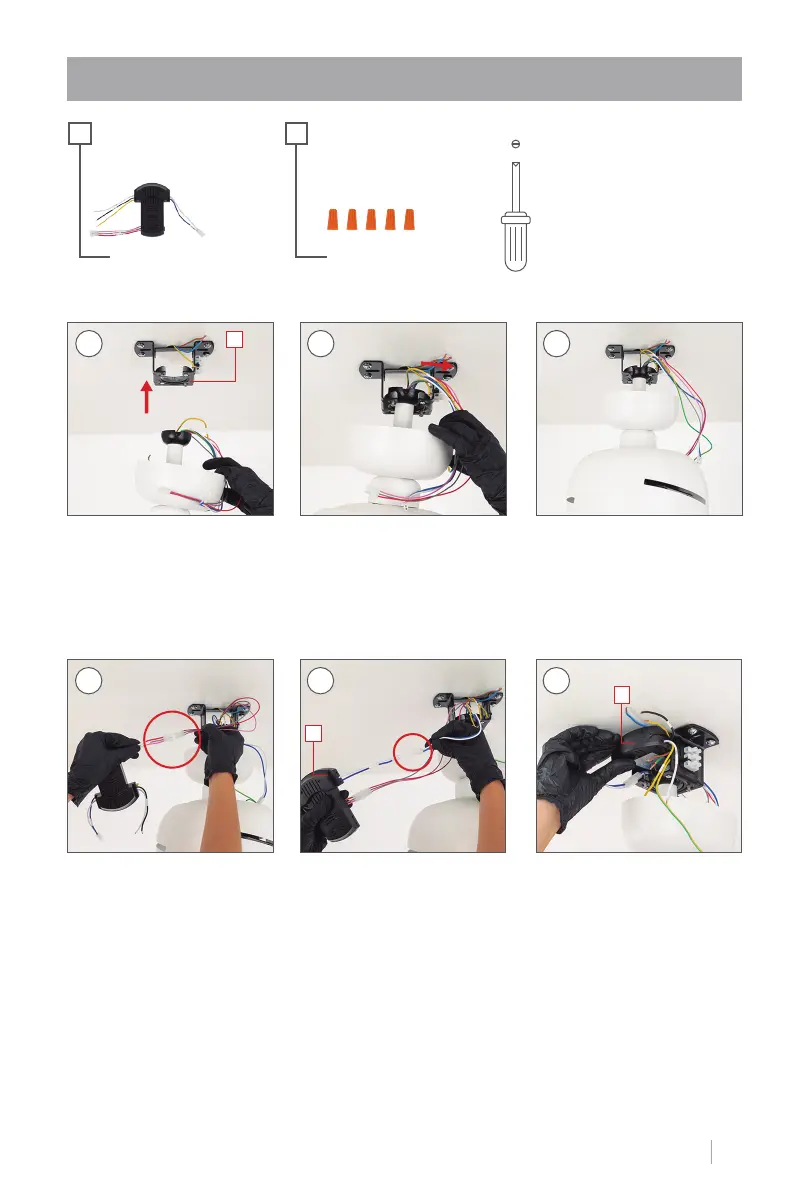
STEP 3. DRIVER CONNECTION
Put the tilt bracket into the
slot on the part K.
Remember to set the notch
on the tilt bracket back so
that the piece ts snugly.
Before continuing, check
that the central structure is
well placed so that it does
not fall.
K
1 2 3
+
B O
+
Join the part connections B with the motor connections,
each with its corresponding color.
4 5 6
Once the cables are con-
nected, insert the part B in-
side the piece K, As shown
in the picture.


 To Next Page