9
Downloading files
To download files , do the following:
1. On the computer file list frame, click the files that you
want to download. Hold down the
Shift
or CTRL button
if necessary.
2. Click the
Internal memory
or
External memory
button
to select the target memory.
3. Click the
Download
button. You can also drag and drop
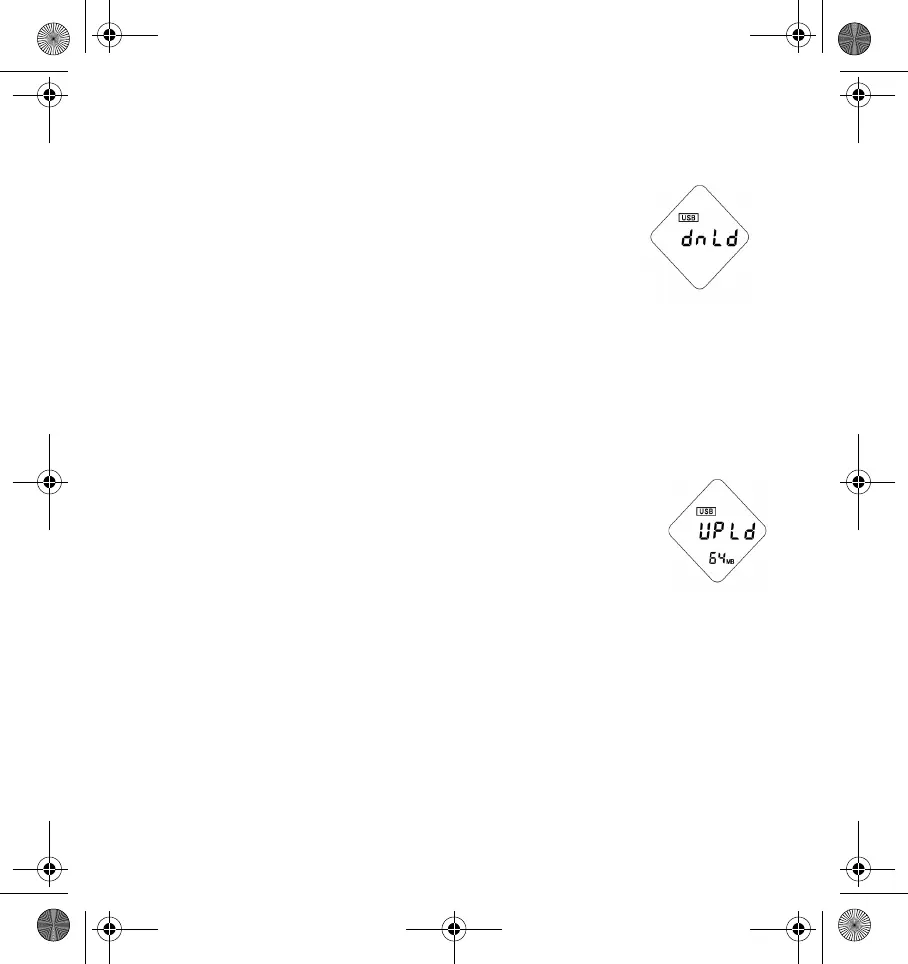
the selected files to the player file list frame. A screen
similar to Figure 5 appears.
Uploading files
To upload files, do the following:
1. Click the
Internal memory
or
External memory
button to
select the memory that contains the files that you want to
upload.
2. On the player file list frame, click the files that you want to
upload.
3. Click the
Upload
button. You can also drag and drop the
selected files to the computer file list frame. A screen
similar to Figure 6 appears.
Playing files on your computer
To play audio files on your computer, do the following:
1. On the computer file list frame, right-click the file that you want to play, and
then click
Play
.
2. To change the order of the files, drag and drop the files.
Figure 5: Downloading
screen.
Figure 6: Uploading
screen.
DigMP3.book Page 9 Friday, April 12, 2002 3:26 PM












 To Next Page