12
Changing modes
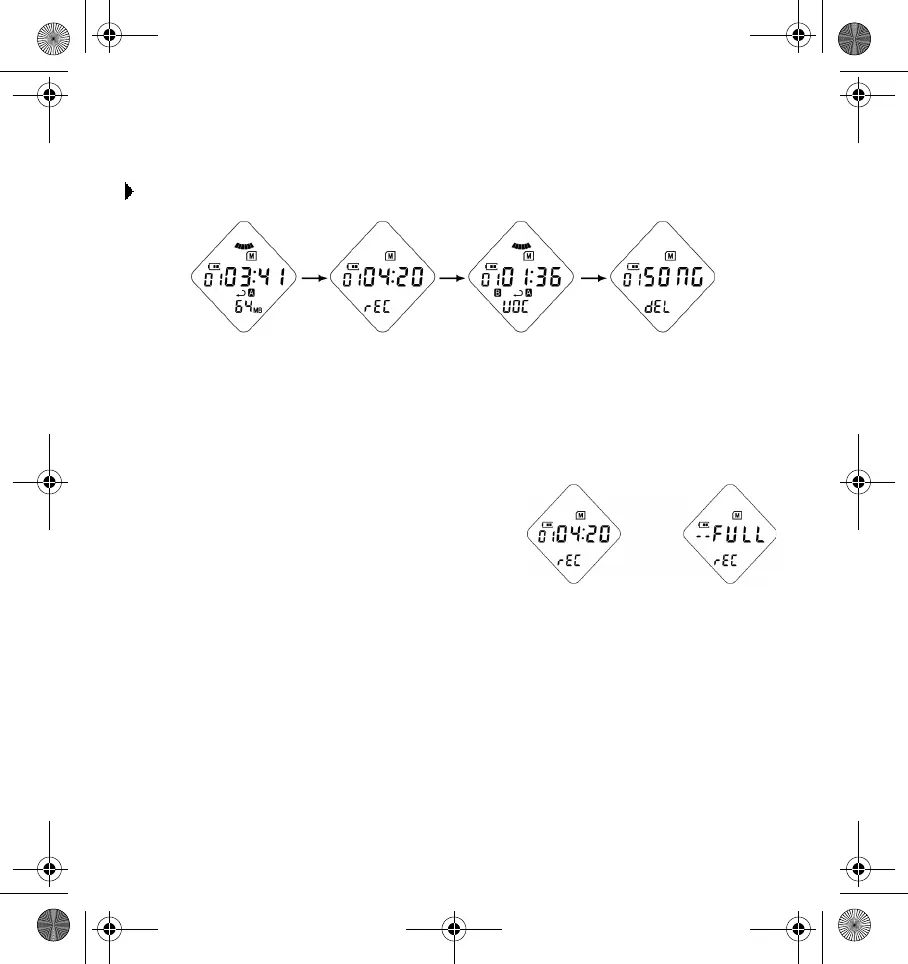
To change modes:
Press the
Jog
switch to select the mode that you want.
Recording a voice file
To record a voice file, do the following:
1. Press the
Jog
switch until you are in voice
record mode.
2. Press the
Play
button to start recording. Each
voice track recorded is labeled with a track
number (for example, VOC_F001.726).
3. Press the
Stop
button to stop recording. Use
Digital Audio Manager to upload the
recorded voice files to your computer. This
will give you more memory space on your
player for future recordings. Alternatively,
use a MMC to increase available recording time.
Voice recording mode Voice play mode Delete modeAudio play mode
Indicates current
track number and
remaining time
for recording
Indicates that
the memory is
full
DigMP3.book Page 12 Friday, April 12, 2002 3:26 PM












 To Next Page