13
Playing audio or voice files
To play an audio or video file, do the following:
1. Press the
Play
button to start playback.
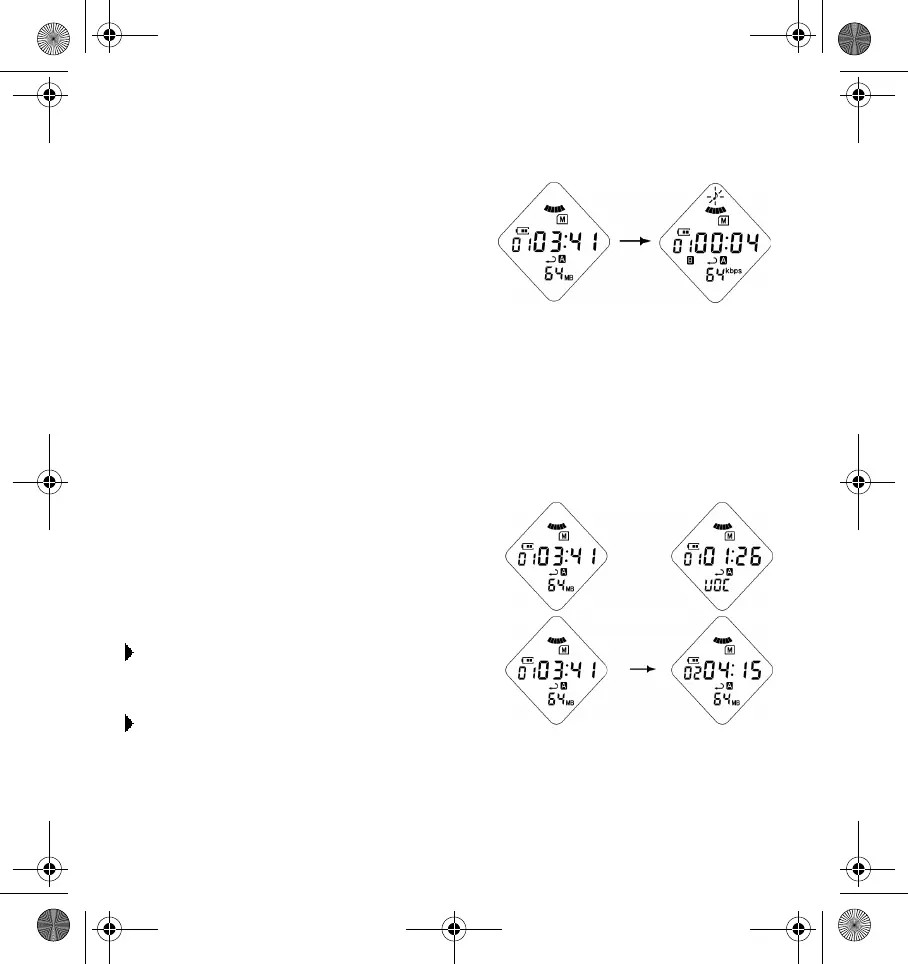
The track number, play time, volume
level, bit-rate and animation icons
appears.
2. To pause the playback, press the
Play
button.
3. To resume playback, press the
Play
button again.
4. To stop playback, press the
Stop
button. If you press the
Stop
button for more
than 2 seconds, your player will be turned off.
5. To adjust the volume, push the
Jog
button up or down to increase or decrease
the volume level. The volume adjustment increases or decreases in minor steps
(ranging from 0 to 20). Volume level is indicated on the LCD screen.
Changing and seeking audio or
voice files
To go to the next track:
Press the
Next Track/Forward
button.
To go to the previous track:
Press the
Previous Track/Rewind
button.
DigMP3.book Page 13 Friday, April 12, 2002 3:26 PM












 To Next Page