14
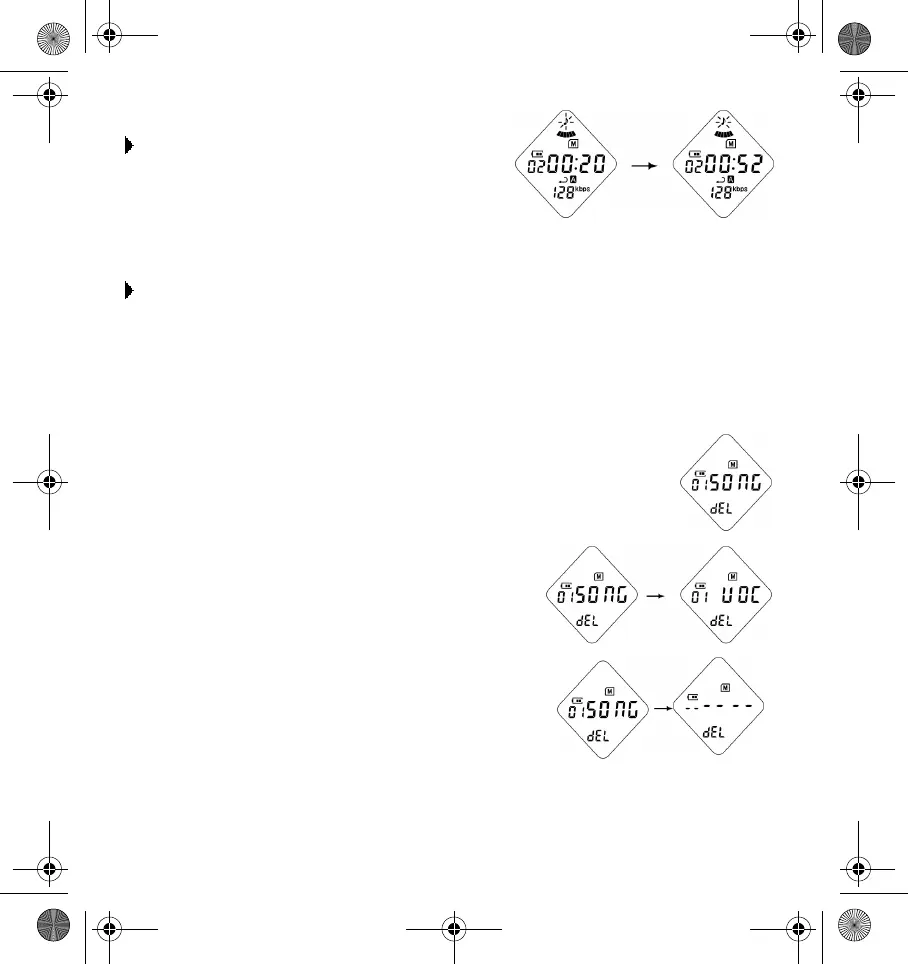
To fast forward a track during playback:
Press the
Next Track/Forward
button for
more than 2 seconds. Release the
Next
Track/Forward
button to resume
playback.
To rewind a track during playback:
Press the
Next Track/Rewind
button for more than 2 seconds. Release the
Next
Track/Rewind
button to resume playback.
Deleting audio or voice files
To delete a track, do the following:
1. Press the
Jog
switch to delete mode.
2. Press the
Next Track/Forward
button or
Next
Track/Rewind
button to select the track that
you want to delete. Voice tracks are displayed
after audio tracks.
3. Press the
Play
button to delete the track that you
want.
DigMP3.book Page 14 Friday, April 12, 2002 3:26 PM












 To Next Page