7
Using Digital Audio Manager
The Digital Audio Manager icon appears on your computer’s desktop after you
have installed the drivers and application. Double-click the Digital Audio Manager
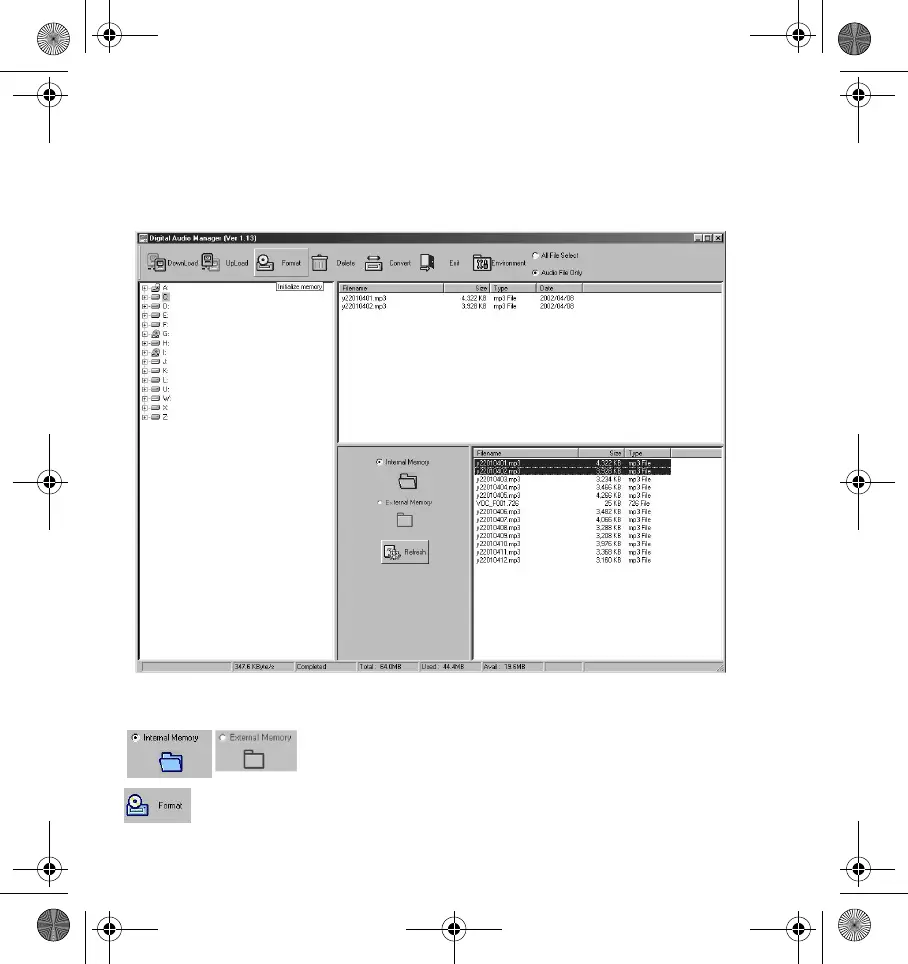
icon. A dialog box similar to Figure 4 appears.
Selects the internal memory or external memory to
manage.
Formats the internal or external memory.
Figure 4: Digital Audio Manager dialog box.
Computer file list frame
Folder frame
Player file list frame
Memory
selection frame
DigMP3.book Page 7 Friday, April 12, 2002 3:26 PM












 To Next Page