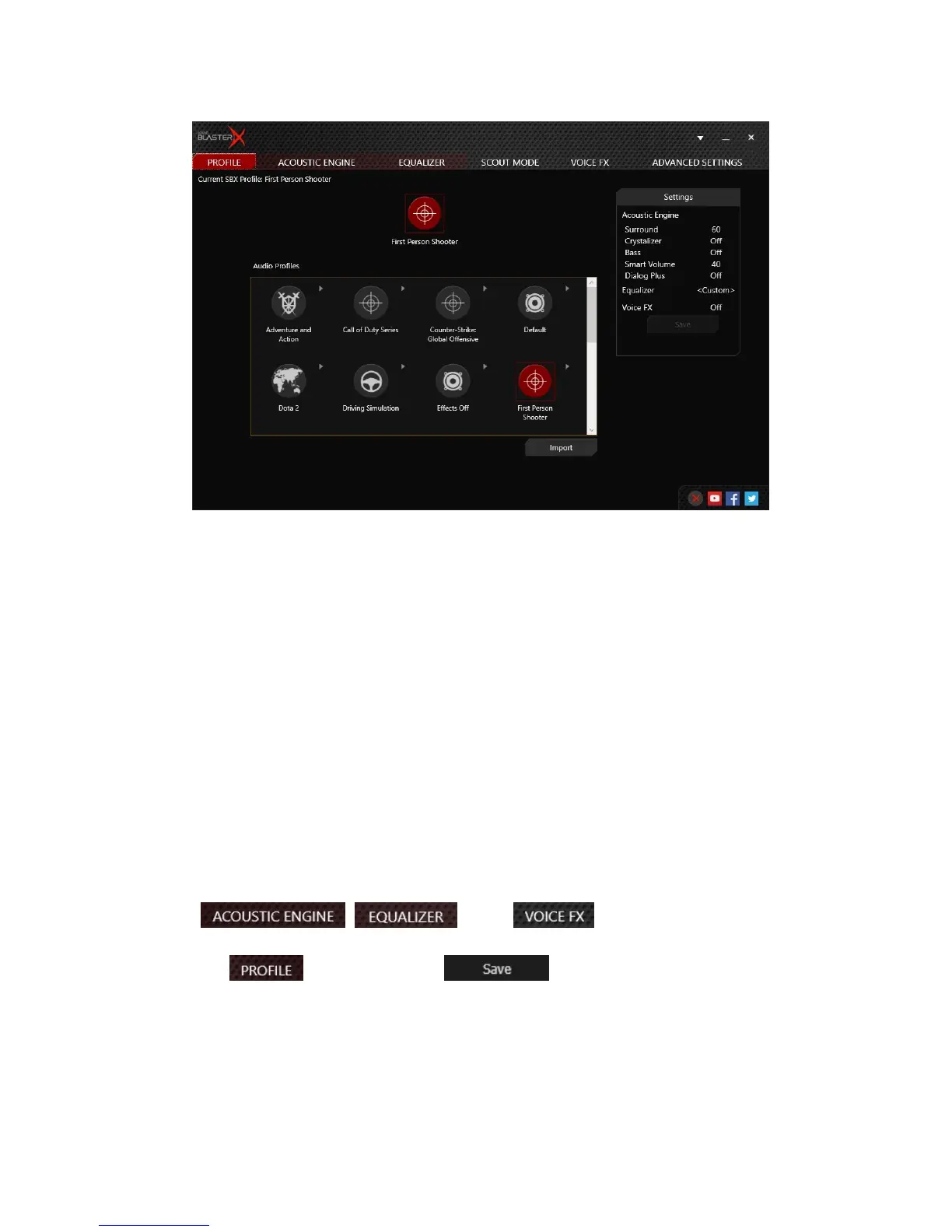
Profile
Preset Audio Profiles
Select from 6 preset profiles to enhance essential audio details in your game, movie or music.
l Adventure and Action enhances clarity of audio details for a cinematic experience and a gaming
edge, allowing you to hear your enemies to evade capture or set-up an ambush.
l Driving Simulation magnifies details such as tire noises as the car races along — enabling you to
hear subtle differences and cues you in on how your car is behaving on the road while racing.
l First Person Shooter increases spatial reality and perception with virtual surround for enhanced
situational awareness — important in close-quarter firefights.
l Movies adds more immersion and depth to make movies come alive while boosting the clarity of
voices in movies for clearer dialog over explosive sounds.
l Music restores the dynamic range that is lost in compressed music files and adds warmth for long
hours of music listening without fatigue.
l Real Time Strategy boosts audio clarity of elements that are key in allowing gamers to pickup
points while reducing distractions — letting you stay focused when pitched against time.
Editing Profile
1.
Go to the , and/or tab to adjust the audio
enhancement levels.
2.
Return to the tab, and then click to save your settings as a new audio
profile. The newly saved profile should appear in the Audio Profiles section.
Sound BlasterX H7 Tournament Edition – Using the Creative Software Suite 12


 To Next Page