yourplayerbeforeproceeding.
ToformatyourplayerusingCreativeMediaExplorer
1. Connectyourplayertoyourcomputer'sUSBportusingthesuppliedUSB
cable.
Double-clicktheMyComputericononyourdesktop.
ClicktheZENVisionWMediaExplorer icon.
ClicktheSettingsandInformationbuttonandclicktheToolstab.
ClicktheFormatbutton.
Notes
Ifyouarepromptedtochoosethefilesystemforformatting,selectonly
FAT32.
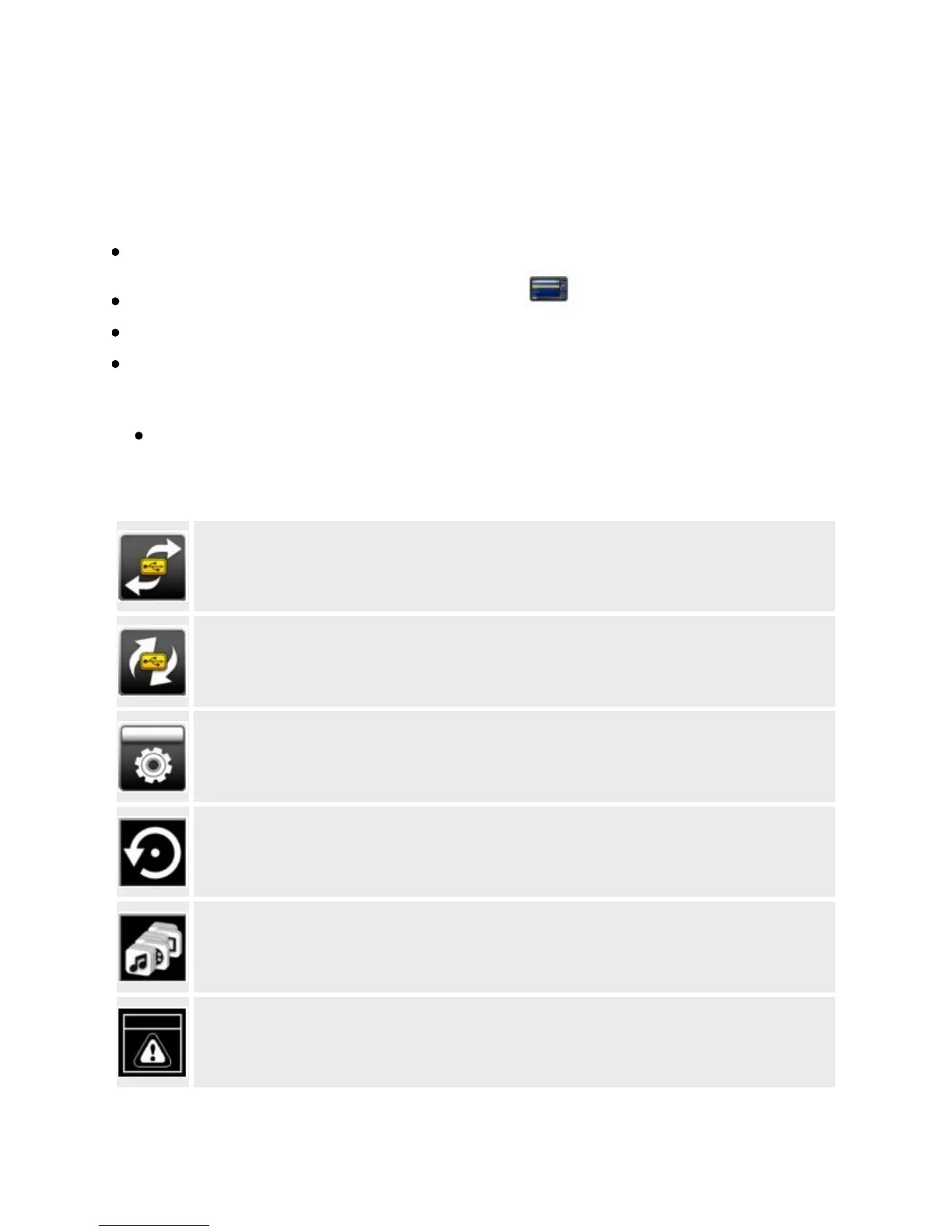
Oneofthefollowingdiagramsappearsonthedisplay.Whatdoesitmean?
Yourcomputerisactivelymanagingyourplayer.Warning:DONOTdisconnectyourplayerwhenyousee
thisscreen.
Youcansafelydisconnectyourplayerfromyourcomputerwhenyouseethisscreen.
Yourplayer'sfirmwareisbeingupgraded.
Yourplayerisresettingafterafirmwareupgrade.
Yourplayerisupdatingitsfiles.Thisoccursafteryoutransferfilestoyourplayerandthenunplugyour
playerfromyourcomputer.
Thefirmwareiscorrupted.Reloadthefirmware,downloadanewerfirmwareversionorcontactCustomer
SupportServices.



 To Next Page