ManagingYourLibrary
BeforeburningCDsortransferringtracks,youneedtoaddmediacontentto
WMP10'slibrary.MediacontentinyourWMP10libraryisorganizedintheAll
Music,AllTVandAllVideofolders,locatedintheContentspane.
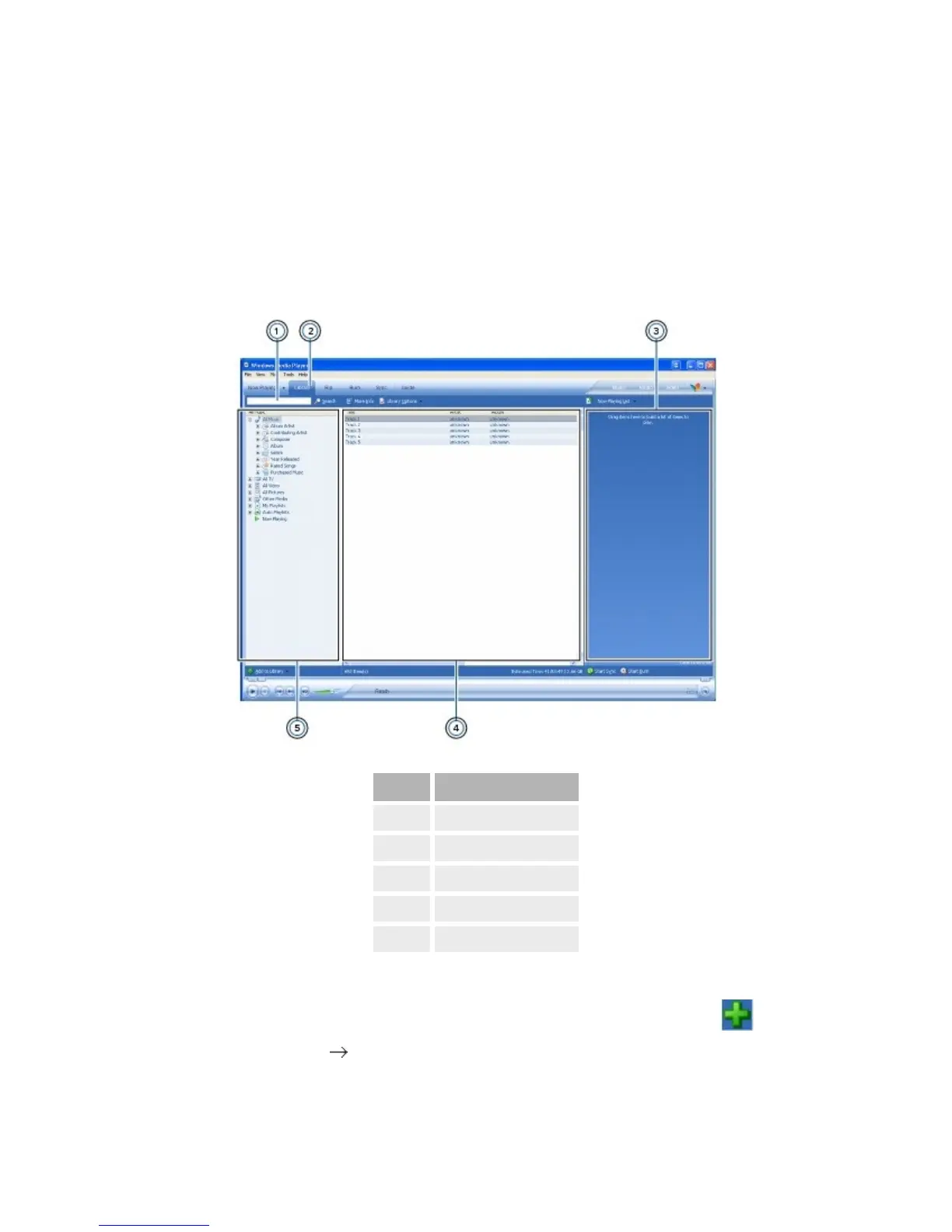
Toviewyourlibrary,inWMP10,clicktheLibrarytab.
DisplayElement
1.
Searchbox
2.
Librarytab
3.
Listpane
4.
Detailspane
5.
Contentspane
Toadditemstoyourlibrary
Onthebottomleftcornerofthewindow,clicktheAddtoLibrary button.
Alternatively,clickFile AddtoLibrary.
Tosorttheitemsinyourlibrary



 To Next Page