Step1:ChargeYourPlayer
Thehighperformancelithium-ionbatterysuppliedwithyourplayerneedstobe
fullychargedbeforeyouuseyourplayer.Thebatteryisfullychargedin
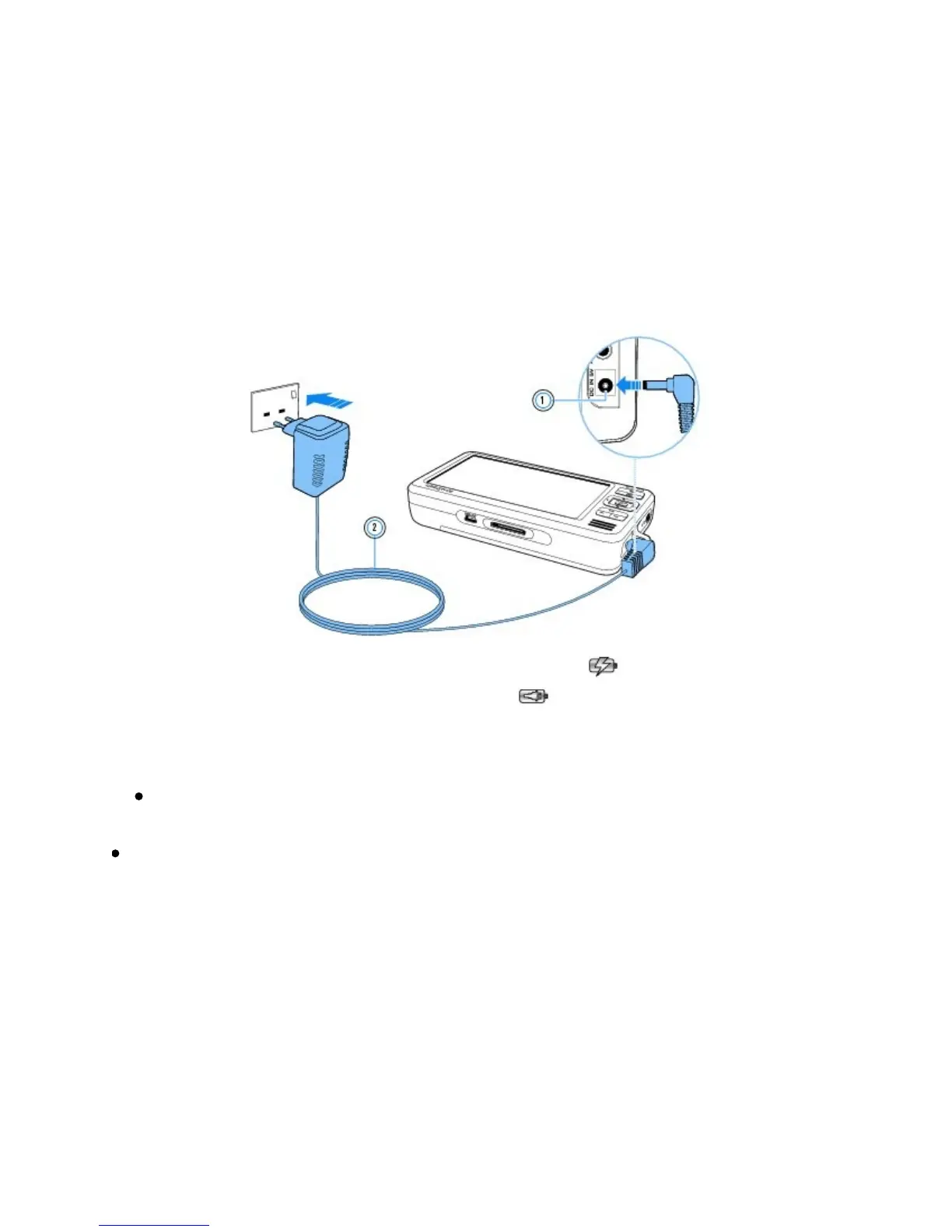
approximatelythreehours.Tochargeyourplayer'sbattery,connectthepower
adaptercabletoyourplayerandapoweroutletasshowninthediagrambelow.
Whenthebatteryischarging,theBatteryCharging iconappearsonthe
display.WhenyouseetheBatteryCharged icononyourplayer'sdisplay,
disconnectyourplayerfromthepoweradapter.
Notes
Dependingonyourregionofpurchase,yourpoweradaptermaydifferfrom
theoneshownhere.
Yourplayerwillcontinuetochargeevenafteritturnsoff,aslongasitis
connectedtoapoweroutletoracomputer.



 To Next Page