4 • Cresnet® Network Design Guide — Doc. 9292A
Star-Network Topology
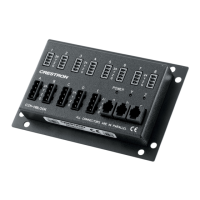
For star-network topologies, wiring is run from the Cresnet server to a Cresnet hub. Cresnet
clients are then branched off from the central hub. This topology is commonly used when a
Cresnet wiring run needs to be taken into a different room. A distribution block connected to the
hub can then be used to route power and data to Cresnet clients in the room. Several Cresnet
hubs can be used to distribute power and data to multiple distribution blocks that all branch off
from a single Cresnet server.
CAUTION:When designing a Cresnet network using the star-network topology, the design
must ensure that no loops are created within the system. All runs from the Cresnet server
must connect to Cresnet clients or hubs only. Awiring run must never return to the Cresnet
server.
Cresnet ID Assignment
Cresnet IDs (NETIDs)are unique identifiers given to Cresnet devices on a network (similar to
IPIDs) that allow for network communication between Cresnet clients and servers. NET IDs
should be assigned using the Network Device Tree View tool in Crestron Toolbox™ software. For
more information, refer to the Crestron Toolbox help file.
Some devices ship with default Cresnet IDs other than 03 or 01 to help streamline some
packaged systems or to facilitate adjustments by certain software wizard systems. For a partial
list of default Cresnet IDs, refer to Crestron Online Help article 1001590.
NOTE:Cresnet servers always have a NET IDof 02. Valid NET IDs for Cresnet clients are
03through FE(03 through 254 decimal).
Refer to the following best practices when assigning NETIDs:
l
Ensure no duplicate NETIDs are assigned to Cresnet clients on a Cresnet network. Using
the Network Device Tree View tool in Crestron Toolbox software to assign NETIDs is
recommended to avoid duplicate IDs.
l
No more than 90 client devices should be present on a Cresnet network.


 To Next Page