EasyManua.ls Logo

Crestron DM-TX-4K-202-C - User Manual

Crestron DM-TX-4K-202-C
6 pages
Print Icon
To Next Page IconTo Next Page
Loading...
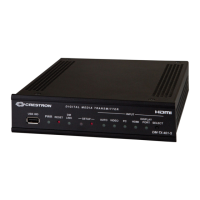
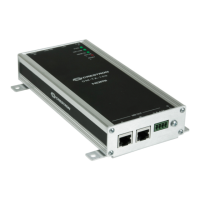
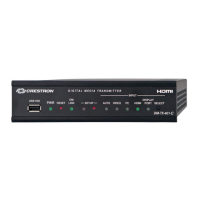
The Crestron® DM-TX-4K-202-C and DM-TX-4K-302-C provide a
versatile interface for computers and high-definition AV sources as part
of a complete Crestron DigitalMedia™ system. The devices function as
DM 8G+® transmitters and switchers, and also provide control module
functionality.
In the Box
1
DM-TX-4K-202-C or DM-TX-4K-302-C
, 4K DigitalMedia 8G+®
Transmitters
Additional Items
1 Connector, 2-Pin (2003574)
1 Connector, 5-Pin (2003577)
Install the Transmitter
NOTE:
This unit is for indoor use only. It is not intended for outdoor use.
Cet appareil est réser à une utilisation en intérieur. Il n’est pas
desti à une utilisation en extérieur.
The DM-TX-4K-202-C and DM-TX-4K-302-C can be mounted onto a flat
surface or onto a rack rail.
Mount onto a Flat Surface
Using four mounting screws (not included), mount the device onto a flat
surface such as a wall or a ceiling.
1
DM-TX-4K-202-C and DM-TX-4K-302-C
QuickStart
4K DigitalMedia 8G+® Transmitters

Other manuals for Crestron DM-TX-4K-202-C

Questions and Answers

  • J
    James RogersAug 15, 2025
    Why is video not displayed but audio is heard on my Crestron DM-TX-4K-202-C Transmitter?
    • L
      leonarddanielAug 15, 2025
      This could be due to HDCP settings incompatibility. Ensure that the HDCP settings of all DigitalMedia devices in the signal path support the HDCP level of the source. Another potential cause is that the display does not support the HDCP level of the source, so verify that the display supports the HDCP level of the source.
  • J
    Jose SuttonAug 18, 2025
    What to do if video is not displayed on Crestron DM-TX-4K-202-C?
    • J
      Joel BrownAug 18, 2025
      Ensure that Auto mode is selected or that the desired input is selected in DMTool.
  • D
    Deborah SmithAug 21, 2025
    Why is the LAN connection unresponsive on my Crestron Transmitter?
    • A
      Albert RossAug 21, 2025
      If the transmitter and another DigitalMedia endpoint are both connected to a DigitalMedia switcher, and the LAN port of the other endpoint is also connected to an Ethernet switch, this could be the reason. When a DigitalMedia endpoint is connected to a DigitalMedia switcher, the LAN port of the endpoint cannot be connected to an Ethernet switch. Disconnect the LAN port from the Ethernet switch.
  • M
    Miss Tanya HarrisAug 25, 2025
    What causes intermittent HDMI video on a Crestron Transmitter and how to fix it?
    • S
      seanhawkinsAug 26, 2025
      Faulty HDMI cable connections can cause this issue. Verify that each end of the cable is connected properly.
  • C
    Cynthia SmithAug 28, 2025
    Why does the video flicker or drop when touching the Crestron DM-TX-4K-202-C?
    • A
      Adam HillAug 28, 2025
      This issue occurs if the transmitter is not properly grounded. Ensure that the transmitter is properly grounded.
  • D
    danielsrickyAug 31, 2025
    What to do if Crestron Transmitter doesn't establish a link to the connected device?
    • C
      Chad ParkerSep 1, 2025
      Verify that each end of the cable is properly connected. If necessary, check the cable terminations.
  • C
    Christy MorganSep 4, 2025
    How to fix analog audio not being heard from Crestron DM-TX-4K-302-C Transmitter?
    • T
      Tyler MorrisSep 4, 2025
      First, set the EDID to 2-channel audio. Also, ensure that the analog audio input is programmed properly in SIMPL Windows. Finally, verify that the volume is properly set for the transmitter in DMTool or in the SIMPL program.
  • R
    Ryan Morris MDSep 7, 2025
    How to resolve component or composite video issues on Crestron DM-TX-4K-302-C Transmitter?
    • D
      Debbie EllisonSep 7, 2025
      Ensure that the VGA breakout cable connections are correct.
  • S
    Stephanie SmithSep 12, 2025
    Why does my Crestron DM-TX-4K-202-C not stay powered on?
    • C
      Christopher DoyleSep 12, 2025
      When the transmitter is not being powered by the included power pack, ensure that the DM OUT port is connected to an appropriate PSE port (PoDM+, PoDM, HDBaseT PoE+, or HDBaseT PoE) that is required to power the transmitter.

Crestron DM-TX-4K-202-C Specifications

General IconGeneral
CategoryTransmitter
ModelDM-TX-4K-202-C
Input Video SignalsHDMI
HDMI Inputs2
Output Video SignalsDM 8G+
HDCP SupportHDCP 2.2
Humidity10% to 90% RH (non-condensing)
Audio InputsHDMI
Output Ports1
Input Ports2 x HDMI
Ethernet10/100 Mbps
Maximum DM 8G+ Distance330 feet (100 meters)
Power SupplyExternal Power Supply
Weight1.5 lb (0.68 kg)
Operating Temperature32°F to 104°F (0°C to 40°C)

Related product manuals