Determine the IP Address
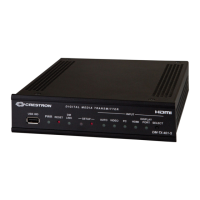
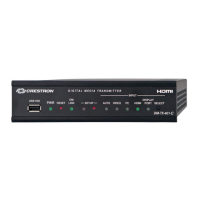
The physical configuration of the DM-TX-4K-202-C or DM-TX-4K-302-C
within a DigitalMedia 8G+ system determines how the IP address of the
transmitter is set:
l If the transmitter is connected to a DigitalMedia switcher, the IP
address is configured by the switcher automatically. You do not need
to set the IP address.
l If the transmitter is connected directly to a DigitalMedia 8G+ receiver
(commonly referred to as a standalone configuration in which no
DigitalMedia switcher is used), the IP address of the transmitter is
assigned using DHCP (Dynamic Host Configuration Protocol) by
default. If you wish to assign a static IP address, do either of the
following:
o
To assign the default static IP address of the transmitter, hold
down the SETUP button while the unit boots up. The default static
IP address, which is 192.168.1.204 for the DM-TX-4K-202-C and
192.168.1.205 for the DM-TX-4K-302-C, overwrites the current
setting.
o
To manually set a static IP address other than the default address,
use the Crestron Toolbox™ software.
Visit the Product Page
Scan the QR code to visit the product page.
DM-TX-4K-202-C
www.crestron.com/model/6507320
DM-TX-4K-302-C
www.crestron.com/model/6507319
5
DM-TX-4K-202-C and DM-TX-4K-302-C
QuickStart
4K DigitalMedia 8G+® Transmitters



 To Next Page
 Loading...