FlipTop Touch Screen Crestron FT-TS600
20 • FlipTop Touch Screen: FT-TS600 Operations & Installation Guide – DOC. 7585B
Touch Test
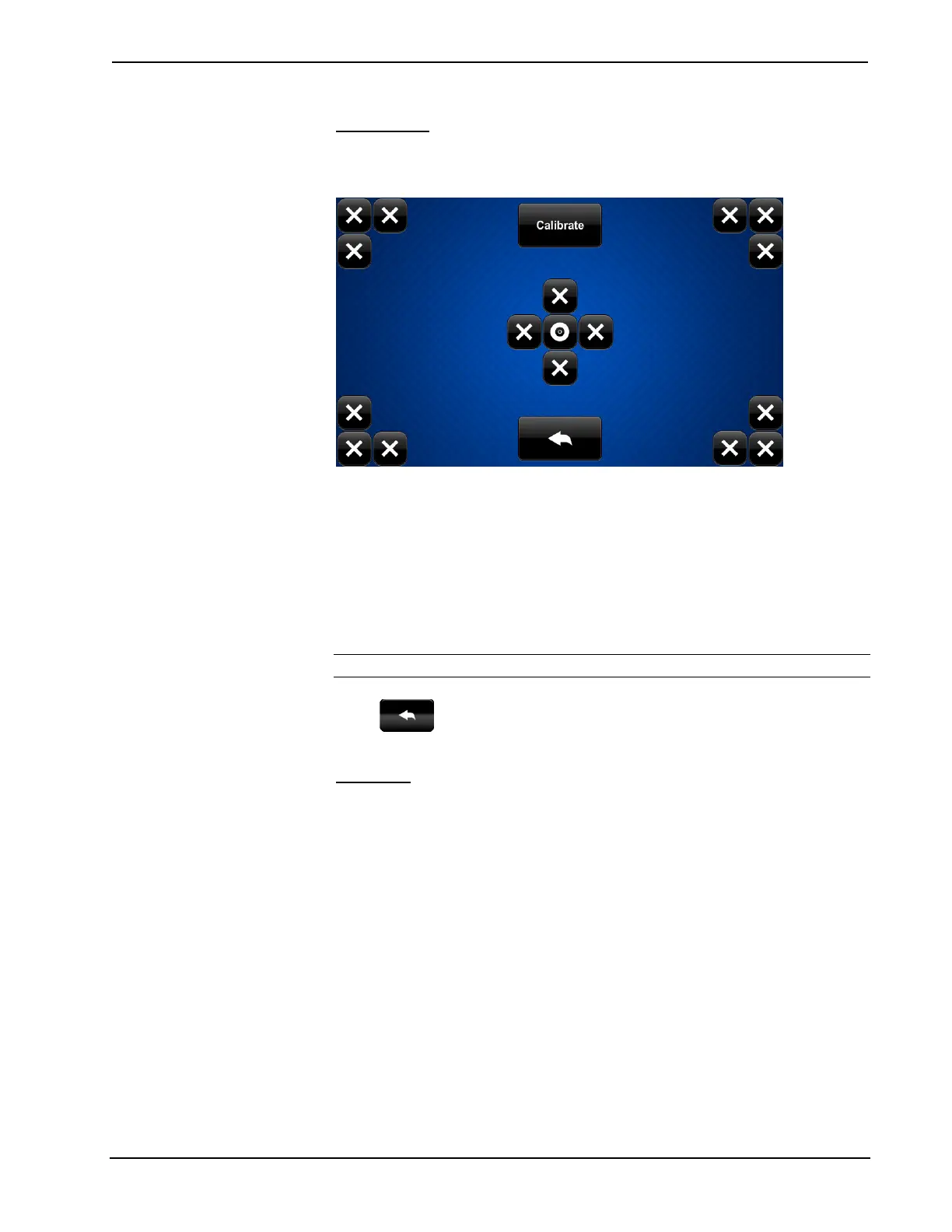
On the “Diagnostics” menu, touch Touch Test to display the touch test screen.
Touch Test Screen
The touch test screen can be used to test the function of the screen. When a location
button (the “x” buttons or the “o” button) is touched, its indication on the screen
lights. This screen also contains a Calibrate button to initiate touch screen
calibration.
During touch screen calibration, a crosshair appears at the center of the screen.
Touch the center of the crosshair, which then moves to the upper left part of the
screen. Touch the center of the crosshair and it moves to another part of the screen.
Continue touching the center of the crosshair until calibration is complete.
NOTE: When touching the screen during calibration, be as accurate as possible.
Touch to return to the “Diagnostics” menu.
Calibrate
On the “Diagnostics” menu, touch Calibrate to initiate the screen calibration
procedure. Refer to “Touch Test” above for details.











 To Next Page