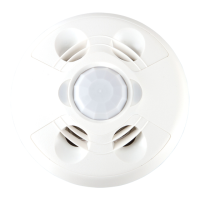
12 • GLS-OIR-CSM-EX-BATT Product Manual — Doc. 9239A
Mounting
Install in a drop ceiling or drywall, or into an octagon electrical box. The following items are
included with the GLS-OIR-CSM-EX-BATT for installation.
In the Box
Qty. Description
2 Plastic WallAnchors
2 Phillips Head Screws
1 1/2 Solid PIR Mask
1 360 degree 12 section perforated PIRmask
1 Ultralife 9 volt lithium battery
The following items are required for installation:
l
Phillips head screwdriver
l
Pencil
l
Cutting Tools
NOTE: Ensure that the cover faces in the correct direction when it is installed.
Installing The Sensor
NOTE: To determine the mounting location, refer to Determine the Mounting Location on
page 8
1. Mark two holes on the mounting surface 3in.(76mm) apart for the plastic wall anchors.
2. Install the plastic wall anchors.


 To Next Page
 Loading...