16 • GLS-OIR-CSM-EX-BATT Product Manual — Doc. 9239A
Configuration
Prior to configuration, ensure the device is running the latest firmware. To update the firmware,
refer to Firmware Upgrade on page 22.
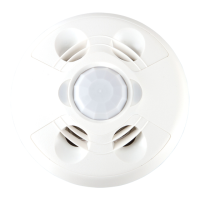
The GLS-OIR-CSM-EX-BATT detects motion in a room to determine if the room is occupied or
vacant and then relays the occupancy or vacancy state to the connected control system. If the
sensor no longer detects motion, the timeout triggers. The length of the timeout is set using the
TIMEOUT knob under the cover.
NOTES:
l
The sensor requires a complete cycle of occupancy, vacancy, and the vacancy timeout
for proper operation. If occupancy is detected and the sensor turns on the lights, and
then the occupant quickly exits the room and turns the lights off using a local switch,
the sensor will not turn the lights on again until it can complete the vacancy timeout.
To avoid this, set the TIMEOUT knob on the sensor to 30s and program the timeout via
the control system.
l
The red LED will flash to indicate that the battery needs to be replaced. To replace the
battery, refer to Replace the Battery on page 20.
Timeout Settings
The time that the sensor takes to declare the room vacant after motion is no longer detected is
determined by the TIMEOUT knob setting inside the sensor. The TIMEOUT knob does not scale
linearly; it ranges from 30 seconds to 30 minutes with the midpoint of the knob corresponding to
5 minutes. Markings of 30s, 2m, 5m, 15m, and 30m are on the label to identify the settings.
Timeout settings can be changed by the control system based on the time of day or occupancy
status. The timeout settings revert back to the settings on the GLS-OIR-CSM-EX-BATT when no
control system overrides exist.
Sensitivity Settings
The sensor sensitivity can be adjusted so that small, medium, or large motion is required to
trigger an action within a 500 sqft (47sqm) detection area. The sensitivity scales linearly. The
top of the knob (High) represents high sensitivity (small motions such as finger and head
movement are needed to trip the device), the mid-point (Med) represents medium sensitivity
(medium motions such as moving arms and legs are needed to trip the device), and the bottom
of the knob (Low) represents low sensitivity (large motions such as entering or exiting a room
are needed to trip the device).


 To Next Page
 Loading...