Make Connections
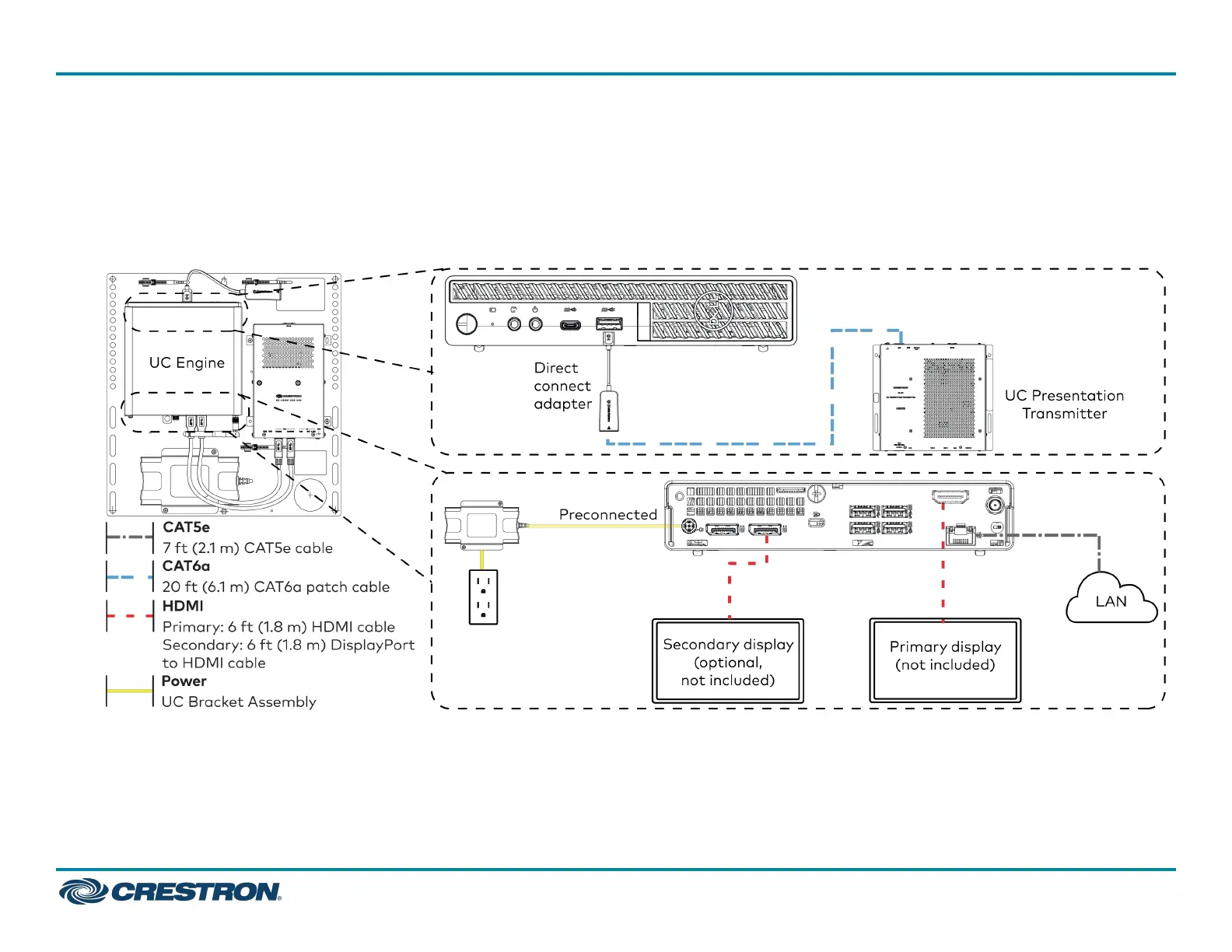
1. Make UC Engine connections as shown in the following illustrations. The UC Presentation Transmitter can communicate with the UC Engine over
a direct connection or a network connection. Select one of the connection types as described below.
l
Make a direct connection for simple installation and setup. Only use the direct connect adapter to connect the UC Presentation Transmitter to
the UC Engine. Do not use the direct connect adapter to connect the UC Engine to the network.
Direct Connection
4
UC-CX100-T
QuickStart
Crestron Flex Advanced Video Conference System Integrator Kit for Microsoft Teams® Rooms



 To Next Page
 Loading...










