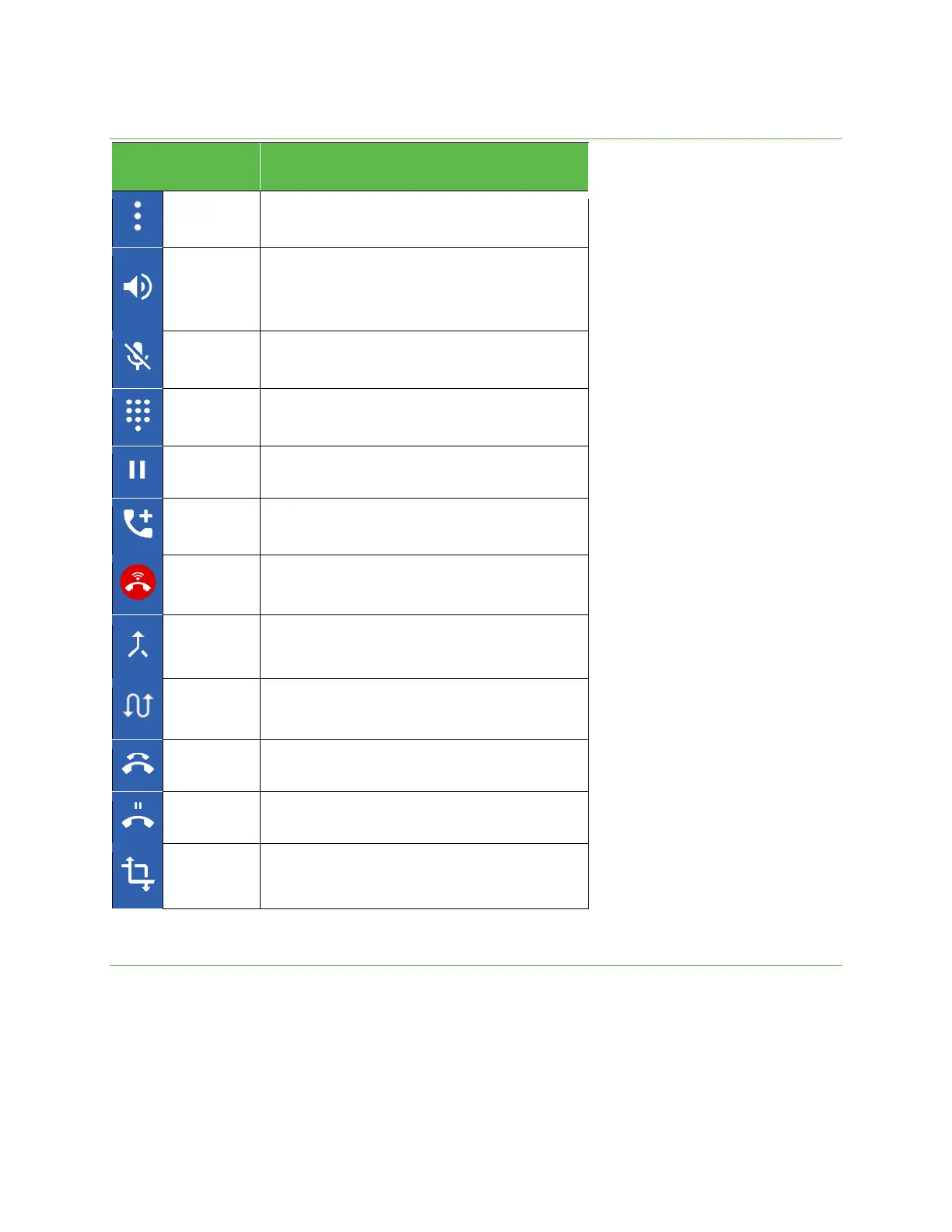
Tap and select Switch to RTT to send the caller a Real-time text
during a call.
Tap to turn the speakerphone on or off.
Warning: Because of higher volume levels, do not place the
phone near your ear during speakerphone use.
Mute the microphone during an active call. Tap again to
unmute the microphone.
Tap to show the on-screen keypad. Use the keypad to enter
additional numbers, for example, an extension or access code.
Tap to hold the current call.
Tap to initiate a 3-way conference call.
Join two currently active calls (conference).
Hang up all active calls.
Hang up on calls that are on hold.
Transfer a call to a different number.
Place a call from Contacts
You can place phone calls directly from your Contacts list.
1. From the Home screen, tap Phone.
2. Tap Contacts to display the Contacts list.
3. Tap a contact.
4. Tap a contact’s number to call to place a call.
5.
To end the call, tap .



 To Next Page