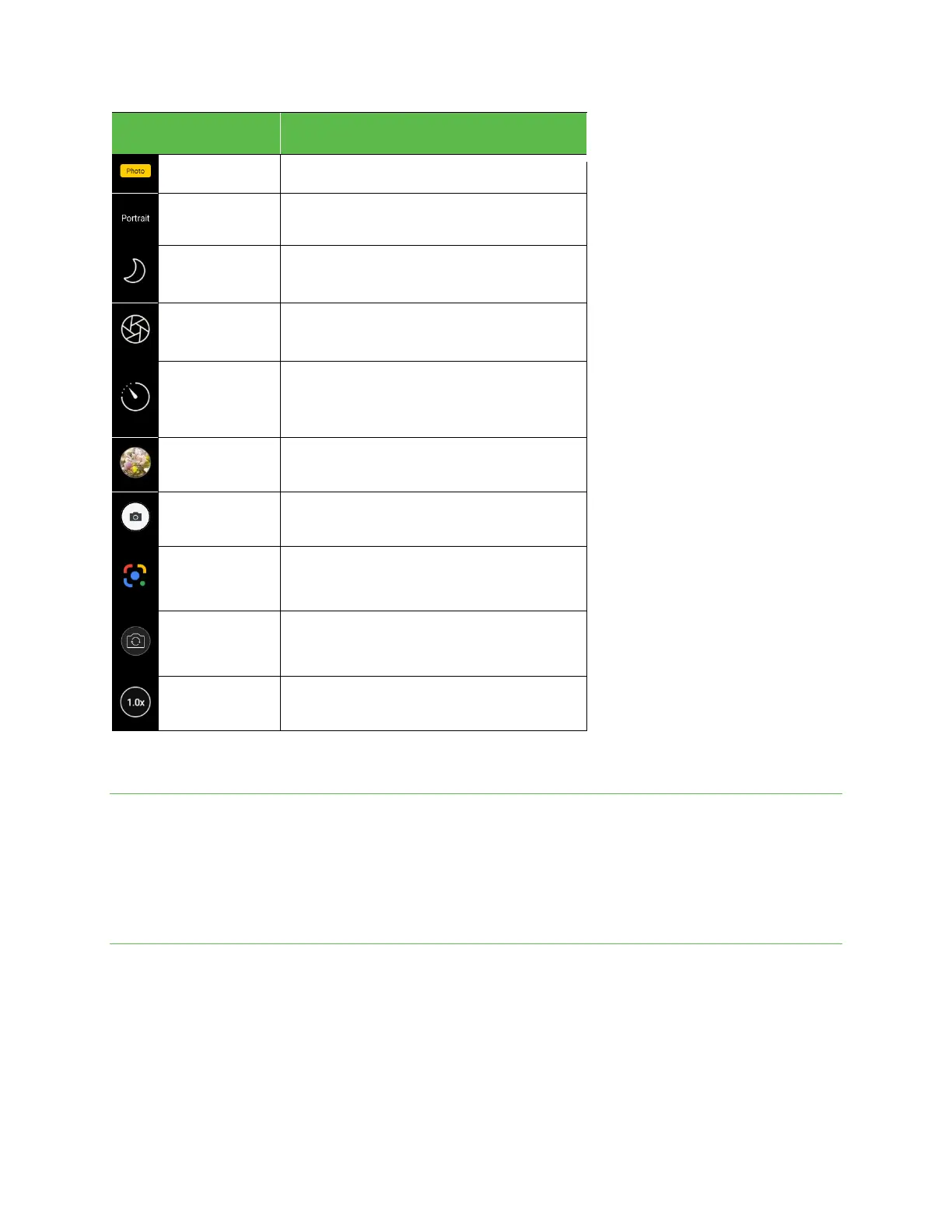
Illuminate your photos. Night mode uses multi-frame
processing to combine 8 images into one clear photo.
Take a series of still images of the same frame
at regular intervals over a period of time, then
play through the entire sequence rapidly.
Note: Camera options vary based on mode, camera in use, etc.
Take photos and record videos
The following topics explain how to take photos and record videos with your phone’s camera.
! Camera cautions
If the lens is dirty: Fingerprints and smudges on the camera lens may result in blurry photos or videos. If this happens, wipe the lens with a soft
dry cloth.
Avoid exposure to direct sunlight: Do not to expose the lens to direct sunlight for long periods, as this can affect the color filter and distort the
color of photos and videos.
Take a photo
Note: If you have an SD card installed, photos and videos will automatically be saved to the SD card. If no card is installed, photos and videos will
be saved to your phone’s memory.
1. From the Home screen, tap Camera.
Tip: You can also access the Camera with one of the following methods:
•
From the Home screen, swipe up to access Apps and tap Camera.
•
Press the Power key twice quickly.
•
From the Lock screen, swipe up from the bottom right corner of the screen.



 To Next Page