35 GB/IE/NI
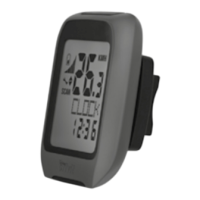
CLOCK: Displays the time.
Press and hold the SET button
20
for 3 seconds
and press the SET button
20
again to request
the time and date settings.
Note: Press SET button
20
to can be switch
display of the time / date.
TOTALODO: Total mileage counter.
Press and hold the SET button
20
for 3 seconds
and press the SET button
20
again to change
the tyre size, ODO and maintenance interval
settings.
TOTAL-TM: Total trip time.
Press and hold the SET button
20
for 3 seconds
and press the SET button
20
again to change
the saved total trip time.
TRIPDIST: Trip distance.
Press and hold the SET button
20
for 3 seconds
to set the trip distance, maximum speed,
average speed and trip time to 0.



 To Next Page